AI-Powered · Free to Start

The AI Whiteboard
Video Maker
That
Writes, Draws & Narrates

Type a prompt or paste your script. Our AI whiteboard video maker handles everything else — writing the narration, generating hand-drawn illustrations, adding a professional voiceover, and exporting a finished MP4 in minutes.

The fastest path from idea to finished whiteboard animation

Traditional whiteboard videos take days of planning, a professional illustrator, a voiceover artist, and expensive editing software. The result is a polished explainer — but the process is slow, costly, and inaccessible to most creators, educators, and businesses. That gap is exactly what our AI whiteboard video maker was built to close.

At whiteboard-video.com, you begin with nothing more than an idea expressed in plain text. The platform's AI pipeline reads your prompt, constructs a structured narrative script, commissions scene-by-scene hand-drawn-style illustrations through a proprietary generative illustration engine, records a natural-sounding AI voiceover in your chosen language, synchronises every element on a timeline, and renders a broadcast-quality MP4 — all without you touching a single design tool.

Whether you're an educator explaining a complex concept, a startup founder pitching an idea, a marketer explaining a product feature, or a content creator building a YouTube channel, the platform removes every technical barrier between your words and a finished video. You stay in your zone of genius — the ideas — and the AI handles the craft.

What makes the tool genuinely different from slide-based video tools or template-driven animation platforms is that it understands your prompt. It doesn't apply a one-size-fits-all template — it builds a scene structure, chooses appropriate visual metaphors, writes transitions, and maintains visual consistency across every scene so your video feels like it was created by a single human animator with a clear creative brief.
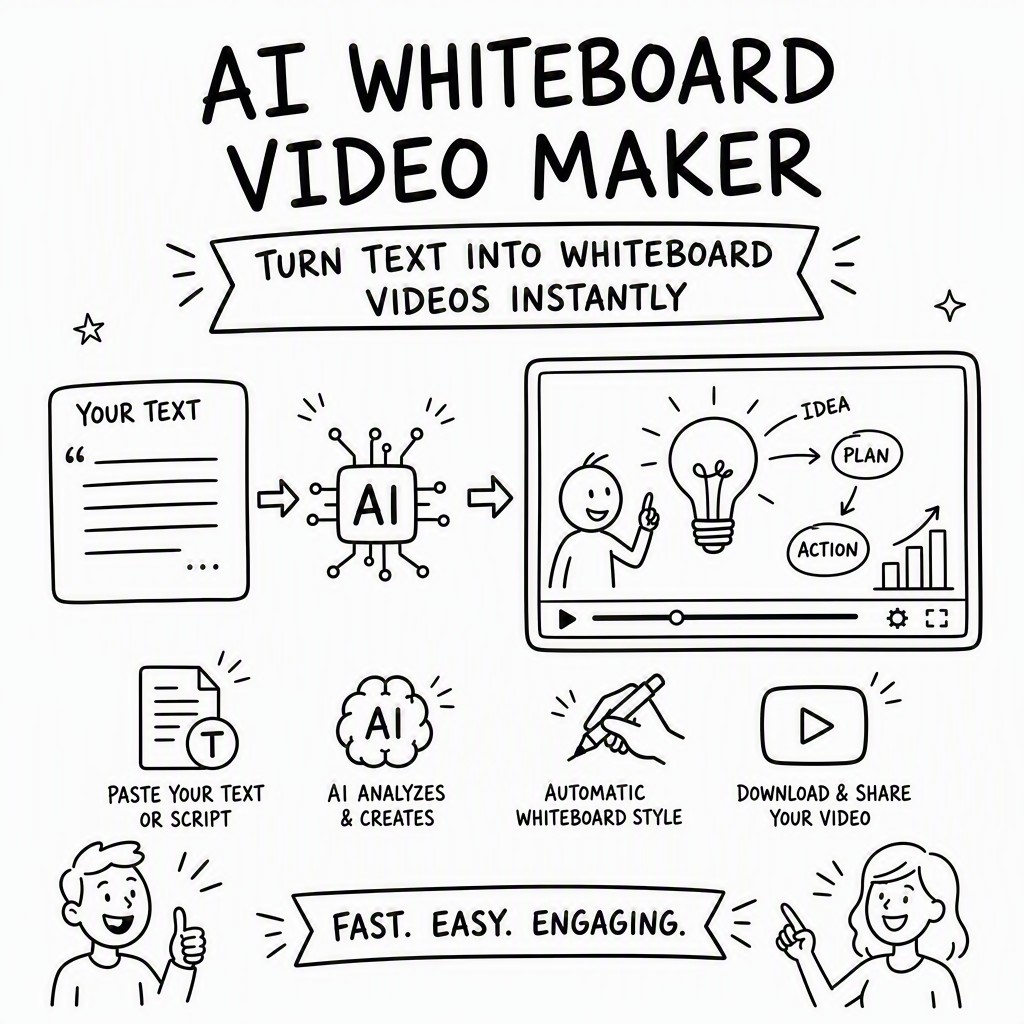
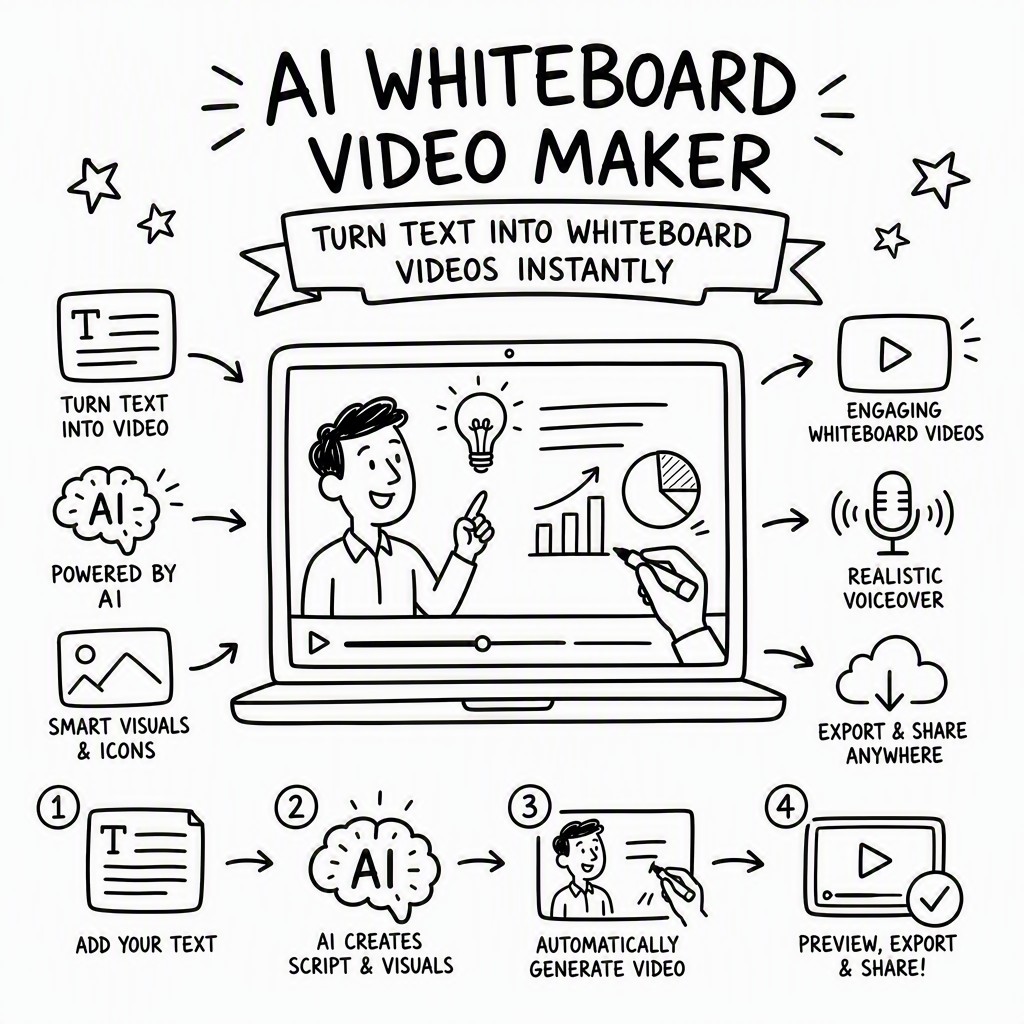
How the AI Whiteboard Video Maker Turns Text Into Video

Five automated stages convert your raw idea into a fully produced whiteboard animation. Each stage is handled entirely by AI — no manual handoffs, no waiting for freelancers.

1

You Enter a Prompt or Script

Type a topic, paste an existing script, or describe what you want explained. The AI accepts anything from a single sentence to several paragraphs.

2

AI Writes the Narration

The language model structures your input into a scene-by-scene narration script — clear, engaging, and optimised for the whiteboard format with natural pacing.

3

Generates Hand-Drawn Illustrations

For each scene, the illustration engine produces bespoke hand-drawn-style artwork that visually represents the narration — not stock images, but original scene art.

4

AI Voiceover Recorded

A natural-sounding AI voice reads the narration in your chosen language and accent, with appropriate pacing, emphasis, and a warm, human-like delivery.

5

Assembled & Exported as MP4

All elements — illustrations, animations, voiceover, captions — are synchronised on a timeline and exported as a ready-to-publish MP4 video file.

Five AI Whiteboard Video Maker Capabilities That Set It Apart

These aren't marketing buzzwords — they're the specific AI-driven systems that replace what would otherwise require a team of human specialists.

✍️

Automatic Script Writing

You don't need to be a writer. Give the AI a topic or a rough idea and it constructs a complete narration script — with a clear opening hook, structured middle sections, and a memorable conclusion. The script is written specifically for whiteboard delivery: short, punchy sentences that pair naturally with visual moments. You can review and edit the script before the video is generated, or let the AI proceed directly if you trust the output.

🎨

Automatic Illustration Generation

Every scene receives its own original illustration generated by our proprietary whiteboard art engine. Unlike tools that pull from a library of pre-drawn clip-art, the system creates scene-specific artwork guided by the narration text — so if your script talks about a rocket launch, you get a rocket launch drawing, not a generic "technology" icon. The illustration style is consistent throughout the video: same line weight, same shading approach, same aesthetic voice.

🎙️

Automatic AI Voiceover

Hiring a voice actor is expensive and slow. The platform includes a library of high-quality AI voices across multiple languages, accents, and tones — from warm and conversational to authoritative and professional. The AI selects appropriate pacing and emphasis based on the script structure, and you can preview and swap voices before finalising. The voiceover is recorded fresh for each video, not a pre-recorded template read.

🔗

Scene Consistency Engine

One of the most common failures of AI-generated video is visual incoherence — characters change appearance between scenes, the art style shifts randomly, or elements introduced early disappear without explanation. Our scene consistency engine tracks visual elements, characters, and metaphors across the entire video and enforces coherence. If a character appears in scene one, they'll look the same in scene four. If a diagram is introduced, the engine knows to reference it correctly in later scenes.

🎯

Faithful-to-Prompt Advanced Mode

For users who need precise control over what the AI produces, Advanced Mode lets you annotate your prompt with scene-level instructions: specify the exact visual for a given sentence, lock in specific characters, define the tone for each section, or override the AI's default scene choices. The AI still handles all the generation work, but it follows your creative direction closely — giving you the power of a human creative team with the speed of automation.

AI whiteboard video maker generating hand-drawn illustrations and voiceover from a text script automatically

Manual Whiteboard Video vs. AI Whiteboard Video Maker

Here's an honest comparison of what it takes to produce a 2–3 minute whiteboard explainer video the traditional way versus using our AI tool.

Factor Traditional / Manual AI Whiteboard Video Maker
Time to first draft 3–10 business days Under 10 minutes
Script writing Copywriter required (extra cost) Fully automated by AI
Illustration / animation Illustrator + animator (expensive) Auto-generated per scene
Voiceover Voice actor booking & recording Instant AI voice, 50+ languages
Revision cycles Days per round of changes Regenerate in seconds
Cost for one video $500–$5,000+ Free to start; plans from affordable monthly rate
Design skills required High (or outsource) None — text input only
Scene consistency Managed manually by animator Automatic consistency engine
Commercial use rights Negotiated per project Included on paid plans

Complete Feature Set of the AI Whiteboard Video Maker

Every feature listed below is built into the platform — no plugins, no integrations, no extra tools required. From first prompt to published video, it all happens in one place.

📝

Prompt-to-Script AI

Enter any topic, question, or idea in plain language. The AI expands it into a full, structured narration script ready for video production — no writing experience needed.

🖊️

Hand-Drawn Art Engine

Proprietary illustration generator creates original whiteboard-style artwork for every scene. Consistent line style, proportions, and aesthetic throughout the entire video.

🗣️

AI Voiceover Library

Choose from a wide selection of natural-sounding AI voices. Adjust speed, tone, and emphasis. Preview before committing — swap voices at any point in the process.

🌍

50+ Languages Supported

Generate your whiteboard video in English, Spanish, French, German, Portuguese, Japanese, Mandarin, Arabic, Hindi, and many more. Script, voiceover, and captions all localised.

✏️

In-App Script & Scene Editor

Every AI-generated script is fully editable. Rewrite individual lines, reorder scenes, replace illustrations, or adjust timing — all within the browser-based editor.

🎬

MP4 Export & Sharing

Export finished videos as high-definition MP4 files. Direct sharing links available for embedding in websites, presentations, emails, or social platforms.

🎭

Advanced Prompt Mode

Annotate your prompt with per-scene instructions for precise AI direction. Lock characters, specify visual metaphors, and control tone at a granular level.

📐

Scene Consistency Engine

AI tracks characters, visual elements, and metaphors across all scenes to ensure visual coherence — the same problem that makes most AI video look disjointed is solved here.

💬

Auto-Generated Captions

Burned-in or separate subtitle files generated automatically from the voiceover transcript. Improves accessibility and boosts engagement on social media where video plays muted.

Live Examples

Whiteboard Videos Made By This AI Maker

Actual whiteboard videos generated by the AI whiteboard video maker at whiteboard-video.com from a single text prompt. Press play to judge the quality.

Whiteboard Animation Example
The Untold Story of Lamborghini

The origin story of one of the world's most iconic car brands - told as an AI whiteboard animation, generated from a single text prompt.

Whiteboard Animation Example
What is Artificial Intelligence?

A clear, beginner-friendly explainer on what AI is - a whiteboard animation video made automatically from a prompt.

Whiteboard Animation Example
5 Rules to Build Real Wealth

Five practical rules for building wealth, brought to life as an engaging whiteboard animation with AI script, illustrations and voiceover.

Who uses it

Six Powerful Use Cases for an AI Whiteboard Video Maker

The platform is deliberately general-purpose — the same AI engine that explains a historical event can pitch a startup, train a new employee, or teach a coding concept. Here's where it's most impactful.

01

Education & E-Learning

Teachers, course creators, and instructional designers use the AI whiteboard video maker to turn lesson plans, lecture notes, and curriculum topics into engaging explainer videos. The whiteboard format is proven to improve comprehension and retention — particularly for abstract concepts in science, maths, history, and economics. A ten-page lecture note can become a five-minute animated lesson in under fifteen minutes.

02

Marketing & Product Explainers

SaaS companies, e-commerce brands, and agencies use whiteboard explainer videos on landing pages and in email campaigns to explain complex products clearly. The AI can take your product description or feature list and turn it into a narrative that a prospect can understand in 90 seconds — dramatically improving conversion rates and reducing support queries.

03

Corporate Training & HR

HR teams and learning & development managers use the platform to produce onboarding videos, compliance training, and internal process explainers at scale. Rather than booking a production company every time a policy changes, they update the script and regenerate — keeping training materials current without ongoing production costs.

04

YouTube & Social Content

Content creators building educational YouTube channels or LinkedIn thought-leadership content use the AI whiteboard video maker to produce high-quality explainer content consistently. The AI handles the research-to-script pipeline, and the whiteboard format performs exceptionally well for "how does X work" and "what is Y" search queries — the bread and butter of educational YouTube.

05

Startup Pitches & Investor Decks

Founders use whiteboard animation to communicate their business model, market opportunity, or product vision in pitch decks and investor emails. A well-crafted whiteboard video can replace three slides of dense text — conveying the same information more memorably and in far less time. The AI's script-writing capability helps founders who struggle to articulate their idea concisely.

06

Non-Profits & Public Awareness

Non-profits, government agencies, and NGOs use the platform to explain programmes, raise awareness of issues, and communicate with diverse audiences across multiple languages. The low cost and multi-language support make it particularly valuable for organisations operating on tight budgets who need to communicate complex social or health information in accessible formats.

Free to start

Start Creating Whiteboard Videos at No Cost

The AI whiteboard video maker is free to start — no credit card required, no time-limited trial that disappears after seven days. Create your first videos, explore the full AI pipeline, and see the quality of the output before you decide whether a paid plan is right for you.

Paid plans unlock longer video lengths, watermark removal, commercial use licensing, advanced prompt mode, priority rendering, and the full voice library. Pricing is designed to be accessible for individual creators, educators, and small businesses — not just enterprise teams with large budgets.

Every plan includes the core AI pipeline: auto script writing, auto illustration, AI voiceover, scene consistency, and MP4 export. The free tier is genuinely useful — not a crippled preview designed to frustrate you into upgrading.

Get Started Free — No Card Needed
FAQ

AI Whiteboard Video Maker — Frequently Asked Questions

Everything you need to know before you start creating. If your question isn't answered here, you'll find more detail in the documentation at whiteboard-video.com.

What does the AI whiteboard video maker cost?
The platform operates on a freemium model — you can start creating whiteboard videos for free without entering any payment details. Paid plans are available for users who need longer videos, watermark removal, commercial licensing, and access to the full AI voice library. Pricing details are listed on the whiteboard-video.com pricing page and are designed to be accessible for individual creators and small teams, not just enterprise customers.
Is the AI whiteboard video maker really free?
Yes — the free tier is genuinely functional, not a crippled demo. You can create real whiteboard videos using the full AI pipeline (script writing, illustration generation, voiceover, and MP4 export) without paying anything. Free videos include a watermark and are subject to length limits. If you need to remove the watermark or create longer videos for commercial use, upgrading to a paid plan is straightforward and can be done at any time.
Will my videos have a watermark?
Videos created on the free plan include a small watermark identifying them as made with Whiteboard Video Maker at whiteboard-video.com. Watermarks are removed automatically on all paid plans. If you're creating videos for commercial use — publishing on YouTube, embedding in a client's website, or using in advertising — a paid plan is the appropriate choice and watermark removal is included.
How accurately does the AI follow my prompt?
Accuracy improves with prompt specificity. For general topics — "explain how photosynthesis works" or "tell the history of the Roman Empire" — the AI produces highly relevant, accurate scripts and illustrations without additional guidance. For niche, technical, or brand-specific content, using Advanced Mode gives you per-scene control over the AI's output: you can specify exact visual metaphors, lock in particular characters, define the tone for each section, and override any default choices the AI makes. The combination of a well-written prompt and Advanced Mode annotations produces results that closely match a detailed creative brief.
Can I edit the video after the AI generates it?
Yes — all AI-generated content is fully editable. After generation, you have access to a browser-based editor where you can rewrite any line of the script, regenerate individual scene illustrations, swap the voiceover, reorder scenes, adjust timing, and update captions. You can also regenerate the entire video with a revised prompt if you want a fundamentally different direction. You're never locked into the AI's first output — it's a starting point, not a final product.
What voices and languages are available?
The platform supports over 50 languages including English (multiple accents: US, UK, Australian, Canadian), Spanish (Latin American and Castilian), French, German, Portuguese, Italian, Dutch, Japanese, MandarinGet Started Free →