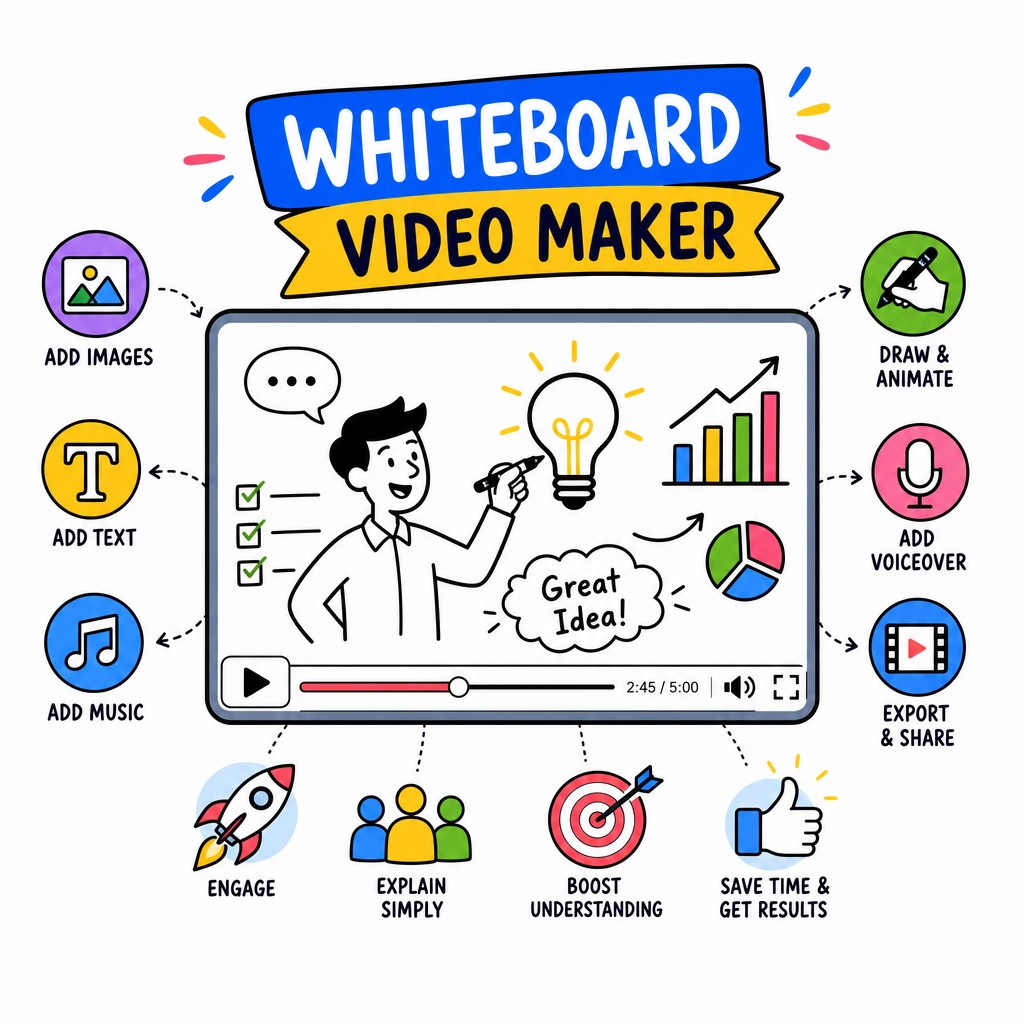
AI-Powered Whiteboard Animation
Paste a prompt, upload a PDF, drop a URL — and watch Whiteboard Video Maker write the script, draw the illustrations and narrate your story with a natural AI voice. No design skills. No storyboarding. No waiting.
What is Whiteboard Video Maker?
Whiteboard animation is one of the most proven formats for holding attention, simplifying complex ideas and driving action. Watching a hand draw illustrations while a voice explains a concept keeps viewers engaged far longer than a talking head or a static slide deck. The problem, historically, has been that producing a quality whiteboard video required a scriptwriter, a professional illustrator, a voiceover artist and a video editor — and weeks of back-and-forth.
Whiteboard Video Maker changes that equation entirely. Powered by advanced AI, the platform handles every stage of production automatically. You supply the raw material — a topic you type, a document you upload, an image you share, or a URL you paste — and the AI engine reads, understands and transforms it into a polished whiteboard animation video complete with a structured script, custom hand-drawn-style illustrations and a natural-sounding voiceover. The whole process takes minutes, not weeks.
Whether you are a solo entrepreneur trying to explain your product, a teacher creating e-learning content, a marketing team producing explainer videos at scale, or a corporate trainer building onboarding material, Whiteboard Video Maker gives you professional-grade output without a professional-grade budget or timeline.
Start Creating FreeWhat can you feed the AI?
The AI reads and distils your source material into a clear, structured narrative — then animates it as a whiteboard video, ready to publish.
Core Capabilities
Whiteboard Video Maker is not a template-filler or a slideshow converter. It is a full-stack AI video production engine that generates original content, original illustrations and original audio for every video you create.
Great whiteboard videos live and die by their scripts. The AI does not simply summarise your input — it structures your message into a compelling narrative arc with a hook, a clear problem statement, an explanation, and a call to action. Whether your source is a dense technical PDF or a simple one-line prompt, the script engine extracts the key ideas, reorders them for clarity, and writes in a conversational register that sounds natural when spoken aloud. You can review and edit the script before the video is rendered, giving you full creative control without starting from a blank page.
The signature visual quality of a whiteboard video is the hand-drawn illustration style — the feel that a real person is sketching ideas live for you. Whiteboard Video Maker generates original doodle-style illustrations that are contextually matched to each segment of your script. Rather than recycling a limited library of stock icons, the AI creates custom artwork that reflects the specific concepts in your content. Characters, diagrams, metaphors, objects, timelines — all drawn in a consistent, professional hand-drawn aesthetic that gives your video a cohesive, crafted feel from start to finish.
A robotic, monotone voice can undermine even the best script and visuals. Whiteboard Video Maker uses advanced neural text-to-speech technology to deliver narration that sounds genuinely human — with natural pacing, appropriate emphasis and clear articulation. You can choose from a range of voice styles and accents to match your brand tone, whether that is authoritative and professional, warm and educational, or upbeat and energetic. The voiceover is automatically synchronised with the animation, so the drawings appear on screen in perfect time with the words being spoken — no manual timeline editing required.
Most video creation tools require you to start from scratch. Whiteboard Video Maker meets you where your content already lives. If you have a research paper in PDF format, a product brief in Word, a blog post at a URL, or a photograph of a whiteboard sketch — just feed it in. The AI document reader parses and understands the content, extracting the most important points and building a video script from them. This makes the tool extraordinarily useful for repurposing existing content: turn your long-form blog post into a two-minute explainer, convert your training manual into an animated lesson, or transform your sales deck into a shareable video in a fraction of the time.
Traditional whiteboard video production, even with a professional agency, typically takes two to four weeks from brief to delivery. Freelance production can still take days. With Whiteboard Video Maker, the entire pipeline — scripting, illustration, voiceover, animation and final render — runs automatically in the background. Most videos are ready to preview within minutes. This speed does not come at the cost of quality; it comes from the efficiency of AI handling repetitive production tasks that humans previously had to do manually. The result is a professional, publishable whiteboard animation video that you can share, embed or download immediately.
Whiteboard Video Maker is purpose-built for the content formats where whiteboard animation shines most. For marketing teams, it produces engaging product explainer videos and social media content that convert viewers into customers. For educators and e-learning developers, it creates visually rich lessons that improve knowledge retention. For corporate training departments, it rapidly converts internal documents into onboarding and compliance videos. For consultants and agencies, it delivers client-ready video content at scale without ballooning production costs. Whatever your use case, the platform's output is polished enough to publish directly to your website, YouTube channel, LMS or social media platforms.
Live Examples
These videos were created entirely by Whiteboard Video Maker — AI-written scripts, AI-generated illustrations, AI voiceover. No human animators, no recording studios.
How It Works
The entire production pipeline is automated. Here is exactly what happens when you create a video with Whiteboard Video Maker:
Type a topic, paste a prompt, upload a PDF or Word document, share an image, or paste any webpage URL. The AI accepts all of these formats and reads them intelligently — extracting the core ideas, key arguments and most important information from whatever you provide.
The script engine analyses your content and builds a clear, engaging narrative. It creates a logical flow — opening hook, main explanation, supporting details, conclusion — and writes the script in a conversational voice that will sound natural as spoken narration. You can review and refine the script before proceeding.
For each section of the script, the AI creates matching hand-drawn-style doodle illustrations and renders a natural-sounding voiceover. The animation engine synchronises the drawings appearing on screen with the spoken words — creating the authentic whiteboard effect where ideas emerge in real time as the narrator explains them.
Your finished whiteboard animation video is ready to preview in minutes. Make any adjustments you need, then export your video for immediate use. Download the MP4 to upload anywhere, copy an embed code for your website, or share a direct link — your whiteboard video is ready to go to work for you.
The Whiteboard Video Maker platform at whiteboard-video.com — showing the AI script editor, illustration preview and voiceover controls in a single, streamlined interface.
Use Cases
Marketing teams use whiteboard animation videos to explain products and services in a format that holds attention and converts. A well-crafted explainer video on a landing page can significantly increase time-on-page and click-through rates. With Whiteboard Video Maker, agencies can produce client explainer videos at scale — turning a product brief or a web page into a polished animation within the hour. Social media teams also use the platform to repurpose blog content, case studies and reports into short-form video content for LinkedIn, YouTube and Instagram.
Research consistently shows that animated video lessons improve comprehension and knowledge retention compared to text-only materials. Teachers, university lecturers and instructional designers use Whiteboard Video Maker to transform lesson plans, textbook chapters and lecture notes into engaging animated lessons. Upload a PDF of your course material and the AI will extract the key learning points, structure them into a clear lesson narrative and animate them as a whiteboard video — ready to embed in your LMS, Moodle, Teachable or Thinkific course in minutes.
Internal training, compliance training and employee onboarding are perennial challenges for HR and L&D departments. Employees rarely read long policy documents, and live training sessions are expensive to run and difficult to scale across distributed teams. Whiteboard Video Maker lets training managers upload their existing documentation — onboarding guides, compliance policies, procedural manuals — and convert them into watchable, engaging animated videos that employees can access on demand. The result is faster onboarding, better compliance comprehension and a more consistent training experience across the organisation.
For founders and solo entrepreneurs, the ability to explain your business clearly and compellingly is critical — whether you are pitching to investors, onboarding new customers or explaining a complex product to a non-technical audience. A professional whiteboard explainer video does this job exceptionally well, but traditionally it has been out of reach for early-stage businesses without a production budget. Whiteboard Video Maker democratises access to high-quality explainer video content, letting founders create investor pitch animations, product demo videos and website explainers without hiring an agency or spending weeks on production.
No credit card required. Create your first video free at whiteboard-video.com.
Frequently Asked Questions
Got a question that is not answered here? Visit whiteboard-video.com and reach out to the support team directly.
Whiteboard Video Maker accepts a wide range of input formats to make it as easy as possible to turn your existing content into video. You can enter a text prompt or topic directly, upload a PDF document, upload a Microsoft Word (.docx) file, paste any webpage URL, or upload an image. The AI reads and interprets all of these formats, extracting the key information and transforming it into a structured whiteboard animation script. This flexibility means you can repurpose virtually any existing content — from research papers and product documentation to blog posts and training materials — without having to reformat or rewrite anything first.
The end-to-end production process — from submitting your content to having a preview-ready whiteboard animation video — typically takes just a few minutes. The exact time depends on the length and complexity of your source material and the length of the output video. This is in stark contrast to traditional whiteboard video production, which can take days or weeks even with experienced professionals. Because the AI handles scripting, illustration generation, voiceover synthesis and animation synchronisation automatically and in parallel, the turnaround time is dramatically faster than any human-led production workflow.
Yes, absolutely. Whiteboard Video Maker is designed to give you creative control while automating the heavy lifting. Once the AI generates a script from your input, you have the opportunity to review it, make edits, adjust the tone, add or remove sections, and refine the language before the animation is produced. This means you get the speed benefit of AI-generated content without being locked into output you cannot change. Think of the AI script as a first draft that you can polish — most users find it requires only minor adjustments before it is exactly right.
The visual style is a clean, professional hand-drawn doodle animation — the kind you would associate with high-quality explainer videos from specialist studios. Illustrations are generated in a consistent sketch-like style with a white board background, black marker-style linework, and selective use of colour to highlight key concepts. The drawing animation effect — where the illustration appears to be sketched live on screen as the narration plays — is applied automatically. You can see real examples of the output quality in the video showcase section above, which shows AI-generated whiteboard videos produced entirely by Whiteboard Video Maker.
Yes. The platform is used by marketing professionals, agencies, corporate training departments, educational institutions and businesses of all sizes. The output quality is designed to be publication-ready — suitable for embedding on websites, uploading to YouTube, publishing on social media, hosting on LMS platforms, or including in presentations and sales materials. The AI-generated voiceover, illustrations and script are all original content created for your video, meaning you can use the videos you produce commercially without restriction under the platform's standard terms of service.
Whiteboard Video Maker's AI script and voiceover capabilities support multiple languages, making it suitable for creating whiteboard animation content for international audiences. Whether you need to produce e-learning content in Spanish, marketing explainers in French, or training videos in German, the platform can handle multilingual content creation. Check the current language availability on the platform at whiteboard-video.com, as the supported language list continues to expand as the AI models are updated and improved.
Most video creation tools are template-based — they give you a library of pre-made scenes and ask you to fill in the blanks with your text and images. Whiteboard Video Maker is fundamentally different: it generates original content from scratch based on your specific input. The script is written uniquely for your topic. The illustrations are generated specifically to match your script's content. The voiceover is synthesised to narrate your exact words. There is no template to fill in, no stock animation library to browse, and no pre-existing story structure being retrofitted to your content. Everything is created fresh for each video — which is why the output feels genuinely tailored rather than generic.
Start free at whiteboard-video.com. No design skills, no studio, no waiting.