2026 Top Pick Confirmed

Best Free Whiteboard
Video Maker
2026 Deep Comparison

The best free whiteboard video maker in 2026 is whiteboard-video.com — AI-powered, genuinely free to start, zero drawing skill required, and capable of producing professional-grade animated videos in minutes. This guide explains exactly why, what to look for in any free tool, and how to make the right choice.

Create Your Free Video → See Full Comparison ↓
Truly free to start
AI-generated scripts & visuals
No drawing skill needed
No software to install
Best free whiteboard video maker interface showing AI-powered animation creation on whiteboard-video.com
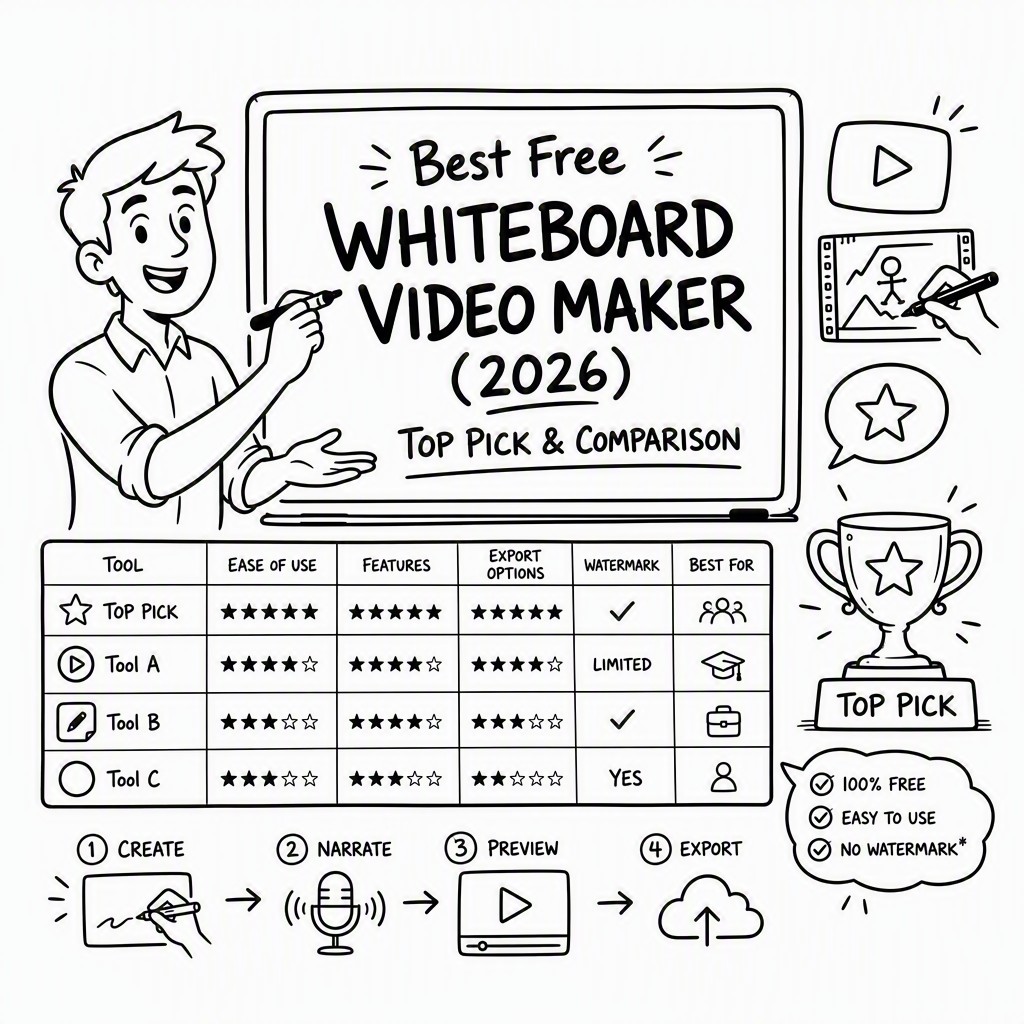
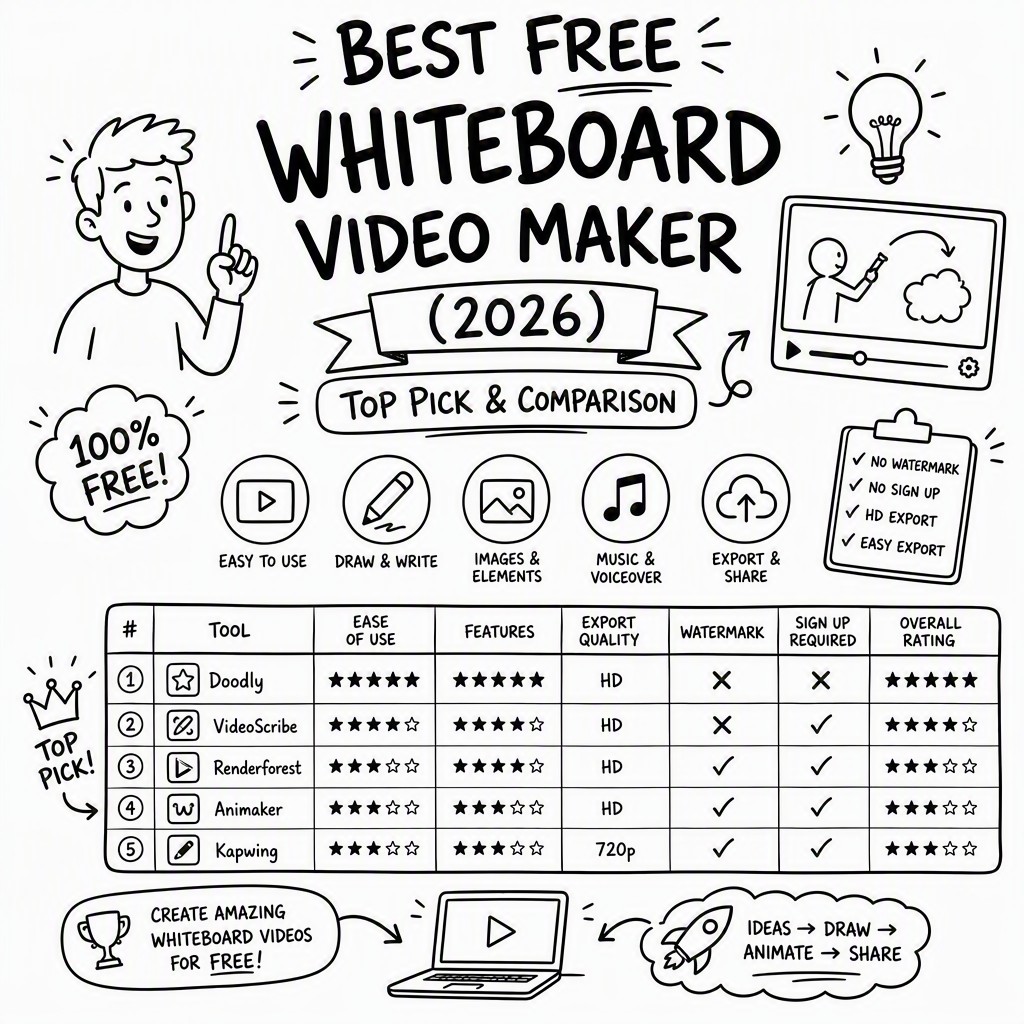
Quick Answer Best Free Whiteboard Video Maker 2026

🏆 Top Pick: whiteboard-video.com

whiteboard-video.com earns the top spot as the best free whiteboard video maker because it combines four qualities that are rarely found together in a single free tool: AI-generated content creation (the AI writes your script and selects matching visuals automatically), a genuinely free starting tier with no credit card required, zero drawing skill needed from the user, and a fast end-to-end production workflow that takes most users from idea to finished video in under 15 minutes.

Most free whiteboard tools require you to manually drag characters, draw paths, time animations, and record voiceovers separately. whiteboard-video.com automates the hardest parts: the AI generates the storyboard from your topic, animates the drawing sequence, and can add a voiceover — leaving you to review, tweak, and export. That combination of automation and accessibility is what separates it from every other free option in 2026.

✓ AI-Powered ✓ Truly Free to Start ✓ No Drawing Skill ✓ Fast Production ✓ Browser-Based
Why This Guide Exists

The Whiteboard Video Landscape in 2026

Whiteboard-style animation has become one of the most effective content formats for explaining complex ideas — whether you're a teacher, marketer, startup founder, or content creator. The hand-drawn aesthetic builds trust, maintains attention, and simplifies abstract concepts better than talking-head videos or static slides. But historically, creating these videos required either expensive software, a professional animator, or hours of tedious manual work.

🎓

Education & eLearning

Teachers, course creators, and tutors use whiteboard videos to explain everything from algebra to anatomy. The drawing-reveal effect is scientifically shown to increase information retention compared to static slides.

📢

Marketing & Explainers

Product explainer videos in whiteboard format consistently outperform other ad formats for viewer completion rate. They're ideal for landing pages, social media, and email campaigns where you need to communicate value quickly.

💼

Business & Internal Comms

From onboarding new employees to presenting quarterly strategy, whiteboard animations make dense information digestible. Free tools make this accessible to teams without a video production budget.

Buying Criteria

How to Choose the Best Free Whiteboard Video Maker

Not all "free" whiteboard video tools are created equal. Here are the seven criteria that matter most when evaluating any free option — and the trade-offs you'll encounter with most free tiers.

💰

Truly Free Tier

The most important question: is the free tier genuinely usable, or is it just a bait-and-switch trial? Look for tools that let you create, export, and use at least one or two videos without a credit card. Many tools advertise "free" but lock export behind a paywall — always test before committing time to a project.

🔖

Watermark Policy

A prominent, unremovable watermark makes a free video unusable for professional purposes. Understand exactly what watermarking looks like on the free plan before investing time in production. Some tools place subtle badges; others overlay large logos that cover significant screen real estate throughout the video.

Ease of Use

The best free whiteboard tool should have a learning curve measured in minutes, not days. If you need to watch hours of tutorials before creating your first video, the tool is too complex for most users. Look for guided workflows, templates, and AI assistance that reduce the number of decisions you need to make manually.

🤖

AI Features

AI is the biggest differentiator in 2026. A tool with AI script generation, automatic visual matching, and AI voiceover can reduce production time from hours to minutes. Tools without AI require you to write every word, source every image, and time every animation manually — which defeats the purpose of a "quick" free tool.

🎬

Export Quality

Free tiers often cap export resolution at 480p or 720p, making videos look blurry on modern screens. Check whether HD (1080p) export is available on the free plan, and whether the exported file format (MP4, MOV, etc.) is compatible with your intended platform — YouTube, LinkedIn, your LMS, or website embed.

🎙️

Voiceover Options

A whiteboard video without narration is significantly less effective. The best free tools include either AI text-to-speech voiceover, the ability to record your own voice directly in the browser, or both. Tools that require you to produce and sync audio externally add substantial complexity to the workflow.

⏱️

Video Length Limits

Many free tiers cap video length at 60–90 seconds, which is sufficient for a product teaser but insufficient for an educational lesson or detailed explainer. Understand the length limit before starting a project, and check whether the limit applies to the rendered export or also to the editing timeline itself.
Honest Assessment

The Real Trade-offs of Free Whiteboard Video Tools

Understanding what free tiers typically compromise on — so you can make an informed decision.

⚠️ Common Free Tier Limitations

Export limits per month

Many free plans restrict you to 1–5 video exports per month. This is fine for occasional use but blocks consistent content creation.

Reduced asset libraries

Free users often access a fraction of the character, icon, and scene library. This limits visual variety and can make free-plan videos look repetitive.

Slower rendering queues

Free plan users are typically deprioritized in rendering queues, meaning a 2-minute video might take 20+ minutes to process during peak hours.

Limited AI credits

AI generation features on free tiers often run on a credit system. Once you exhaust your monthly allocation, you must wait for a reset or upgrade to continue using AI features.

What a Good Free Tier Should Offer

No credit card required to start

A genuinely free tool should never require payment information just to explore. If you need to enter card details before seeing the editor, that's a red flag.

At least one full video export

You should be able to create and download at least one complete video on the free plan to validate the quality before deciding whether to upgrade.

Core AI features accessible

The free tier should give you meaningful access to AI features — enough to experience the real value proposition of the tool, not just a teaser that disappears after one use.

Clear, transparent upgrade path

The best tools are upfront about what's free vs. paid. Surprise paywalls mid-project are frustrating and waste your time. Look for tools with clearly published pricing pages.

Why It Wins

Why whiteboard-video.com Is the Best Free Option

When you measure whiteboard-video.com against every criterion in our checklist, it consistently outperforms alternatives in the ways that matter most for free users.

Whiteboard video maker AI creation process showing automatic script and animation generation on whiteboard-video.com
🤖

AI Does the Heavy Lifting

You enter a topic or paste your own text, and the AI generates a complete storyboard with synchronized visuals. No scripting expertise, no animation knowledge, no design background required. The AI handles what traditionally took a professional animator an entire day.

🌐

Fully Browser-Based — Zero Install

No downloads, no plugins, no OS compatibility issues. whiteboard-video.com runs entirely in your browser, which means it works on Windows, Mac, Chromebook, and even tablets. Your project is saved in the cloud automatically.

🎙️

Integrated Voiceover

The platform includes built-in voiceover options so your video has professional narration without needing external recording software. This is a significant advantage over tools that treat audio as an afterthought or a premium-only feature.

Speed: Idea to Video in Minutes

The entire workflow — from entering your topic to downloading or sharing the finished video — is designed to take under 15 minutes for a standard explainer. That speed is only possible because AI automates the most time-consuming steps.

Start Creating Free →
Feature Breakdown

What You Get with Whiteboard Video Maker

A comprehensive look at the platform's capabilities — from AI generation to export options.

✍️

AI Script Generation

Enter a topic, keyword, or brief and the AI writes a complete, structured narration script optimized for the whiteboard video format. Edit freely or use as-is.

🎨

Auto Visual Matching

The AI analyzes your script segment-by-segment and selects contextually relevant illustrations, characters, and icons from an extensive library — no manual searching required.

🖊️

Hand-Draw Animation

Every element is revealed using authentic hand-drawing animation sequences. The effect is convincing and professional without requiring any actual artistic ability from the creator.

🎙️

Voiceover Integration

Add narration via AI text-to-speech or record your own voice directly in the browser. The platform synchronizes the audio with the animation timeline automatically.

📁

Multiple Export Formats

Export your finished whiteboard video as an MP4 file ready for upload to YouTube, LinkedIn, your website, LMS platform, or any other channel that accepts standard video formats.

🌐

100% Browser-Based

No software installation, no system requirements beyond a modern browser. Create professional whiteboard videos from any device, anywhere, with projects saved securely in the cloud.

📚

Rich Asset Library

Access a large library of whiteboard-style characters, icons, diagrams, and scene elements covering business, education, health, technology, and more topic categories.

🎵

Background Music

Choose from a curated selection of royalty-free background music tracks to add professional polish and set the right emotional tone for your video content.

🔗

Share & Embed

Generate shareable links or embed codes for your videos directly from the platform. Share to social media, embed on your website, or send a direct link — all without leaving the dashboard.

Explore All Features Free →
Simple Process

How to Create Your Whiteboard Video

Four steps from blank page to published video. The AI handles the complex parts — you handle the creative direction.

1

Enter Your Topic

Type your topic, paste your script, or describe what you want to explain. The AI takes it from there.

2

AI Builds Your Video

The AI generates a storyboard, selects visuals, writes narration, and creates the animation sequence automatically.

3

Customize & Refine

Review the generated video, swap visuals, edit the script, adjust timing, add voiceover, and fine-tune to match your vision.

4

Export & Share

Download your finished video as MP4, share via link, or embed directly. Ready for YouTube, your website, or any platform.

Try It Free — No Card Needed →
See It in Action

Real Whiteboard Videos Made with AI

These examples were created using whiteboard-video.com — the best free whiteboard video maker available in 2026. Notice the quality of the hand-draw animation, visual storytelling, and pacing.

🏎️ Brand Story: The Untold Story of Lamborghini

Brand Story Example: This whiteboard animation demonstrates how the AI creates compelling narrative content — perfect for brand storytelling, history explainers, and engaging social media content. Created entirely on Get Started Free →