✏️ AI-Powered · No Design Skills Needed

The Doodle Animation Maker That Writes, Draws & Narrates for You

Turn any idea, script or topic into a fully animated doodle video in minutes. Our doodle animation maker uses AI to generate hand-drawn illustrations, a drawing-hand animation, and a professional voiceover — all automatically, all inside your browser.

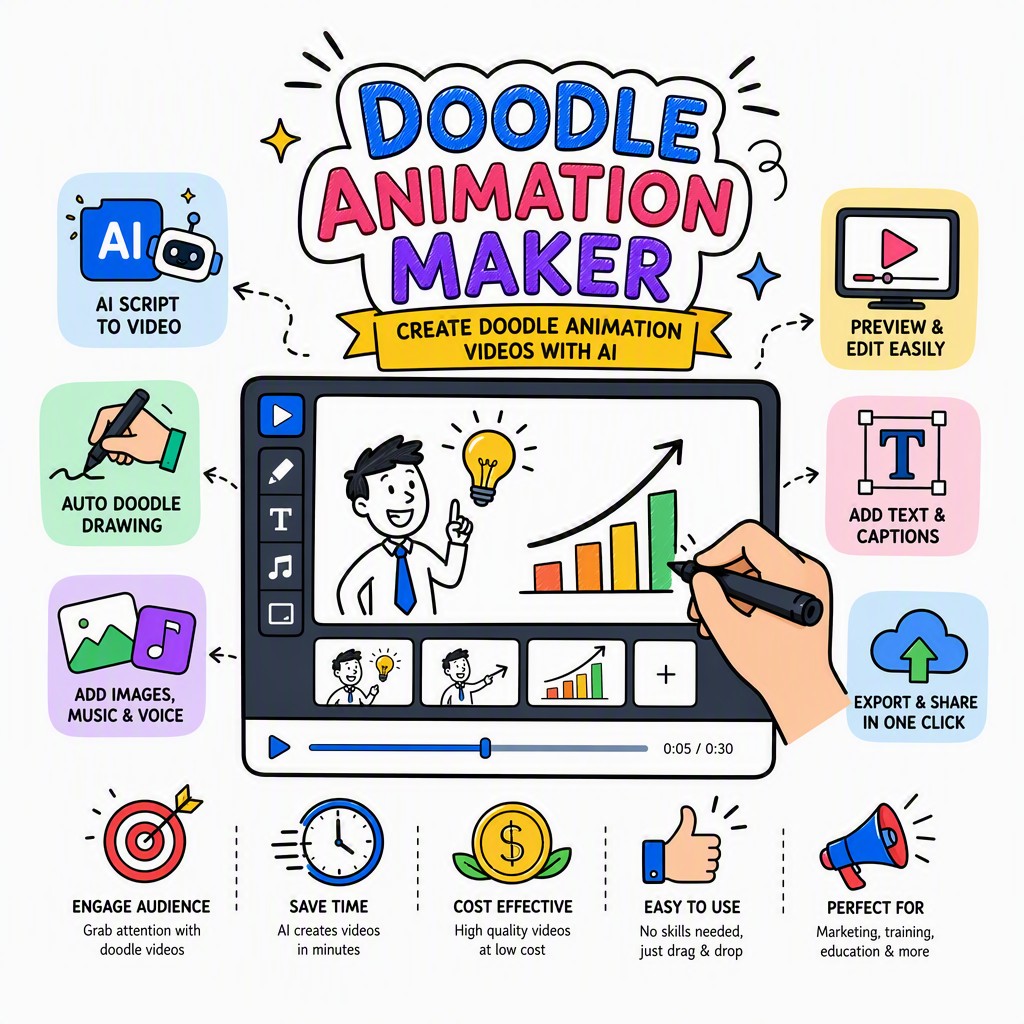
AI doodle animation maker interface showing hand-drawn doodle video creation

📖 Quick Definition

What Is a Doodle Animation Maker?

A doodle animation maker is a software tool — or, increasingly, an AI-powered platform — that lets you create animated videos in which hand-drawn doodle-style illustrations are progressively revealed on screen, typically alongside a voiceover narration. The visual style mimics the look of someone sketching on a whiteboard or notepad in real time: a hand holding a pen or marker moves across the frame as each element is drawn, giving the video its distinctive "watch it come to life" appeal. Unlike traditional animation that requires frame-by-frame drawing or complex timelines, a modern doodle animation video maker automates the illustration, animation timing and audio sync so that virtually anyone — teachers, marketers, entrepreneurs, content creators — can produce professional-quality doodle videos without any animation experience. The output is typically a downloadable MP4 video ready to share on YouTube, social media, e-learning platforms or in presentations.

Step-by-Step Process

How Our AI Doodle Animation Maker Works

Colorful cartoon character sketch on paper with colored pencils on the side.
Photo: Nur Demirbaş / Pexels

Six automated steps take you from a blank page to a finished, shareable doodle animation video — no software to install, no drawing skills required.

1
📝

Enter Your Script or Prompt

Type your topic, paste an existing script, or let the built-in AI script writer generate a structured narrative for you. The AI understands context, tone and audience so the script is ready to animate straight away.

2
🎙️

AI Narration & Voiceover

Choose from a library of natural-sounding AI voices in multiple languages and accents. The platform reads your script, generates a perfectly paced voiceover track, and timestamps every sentence ready for visual sync.

3
✏️

AI Generates Doodle Illustrations

For each scene or sentence, the AI selects or generates a matching hand-drawn doodle illustration from a rich library of doodle art assets. Every image is in the same consistent sketch style, keeping your video visually cohesive.

4
🖐️

The Drawing Hand Animates Each Doodle

A realistic animated drawing hand sweeps across the canvas, revealing each doodle illustration stroke by stroke in perfect sync with the narration. This is the signature effect that makes doodle animation so engaging and watchable.

5
🎵

Background Music & Branding

Add royalty-free background music from the built-in library, set the volume balance, drop in your logo and choose your color palette. Every element is customizable without touching a single timeline slider.

6
🎬

Export Your MP4 Doodle Video

Hit render and receive a crisp, high-definition MP4 doodle animation video in minutes. Download it, share it directly to YouTube, embed it in your LMS, or drop it straight into a social media post.

Doodle Art Video Maker With a Genuinely Hand-Drawn Feel

A 3D-rendered hand pointing left on a peach pink background.
Photo: cottonbro CG studio / Pexels

The most common complaint about automated doodle animation tools is that they look cheap or robotic. Whiteboard Video Maker solves this by using a curated library of thousands of authentic, hand-crafted doodle art assets — not clip-art, not stock vectors, but real sketched illustrations with natural line weight variation, subtle ink textures and organic imperfections that give every scene warmth and character.

As a doodle art video maker, the platform ensures every illustration is matched semantically to your script. If your narration mentions a lightbulb, a brain, a team meeting or a graph, the AI surfaces the right doodle and places it at the right moment. You can also swap any illustration manually if you want to fine-tune the visual storytelling.

The result is a finished video that genuinely looks like someone talented sat down and drew it frame by frame — except it took you minutes instead of days.

Try the Doodle Art Video Maker →
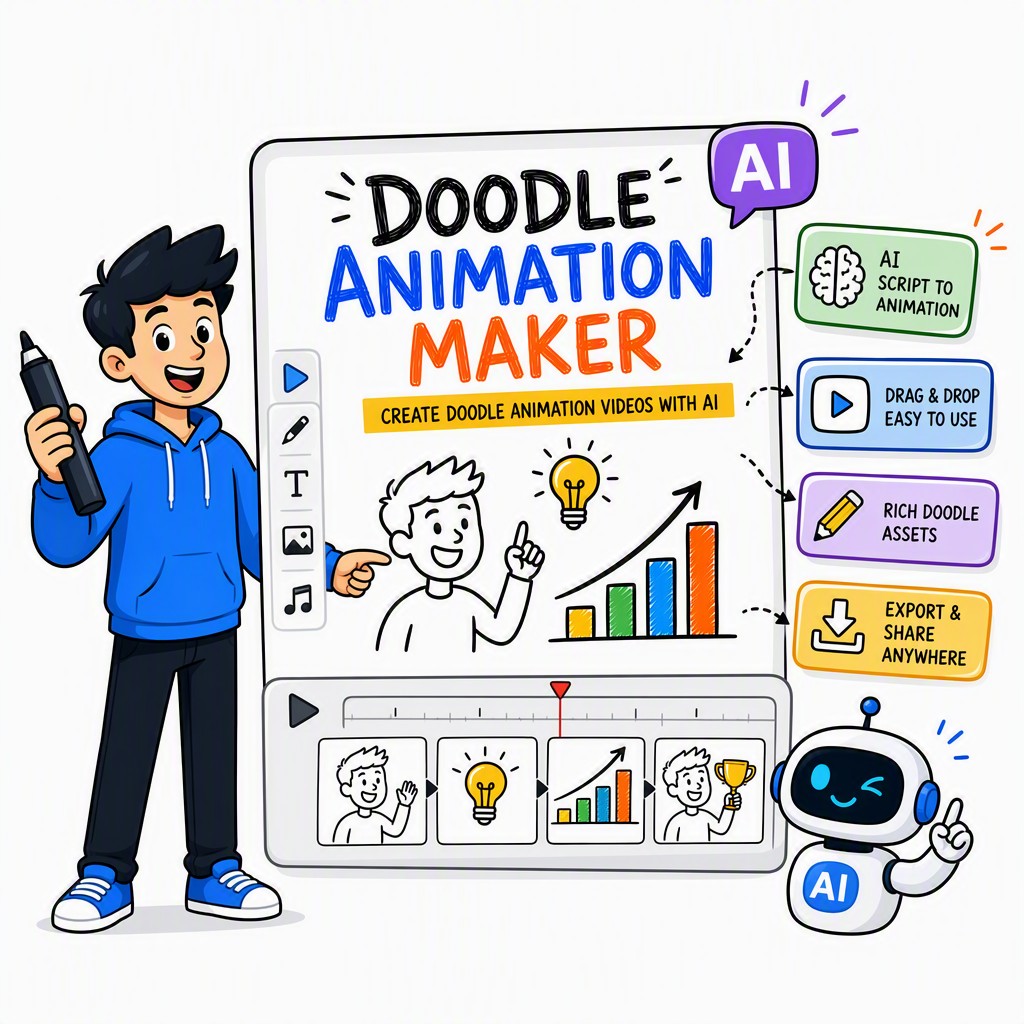
Doodle art video maker output showing hand-drawn doodle animation scene with sketched characters and icons
Platform Features

Everything You Need in One Doodle Animation Maker

Close-up of hand sketching monkey faces on paper, showcasing artistic creativity.
Photo: MESSALA CIULLA / Pexels

A complete doodle animation video maker should do more than draw lines. Here's what sets Whiteboard Video Maker apart from every other tool in its category.

🤖

AI Script Generator

Enter a topic and get a fully structured, audience-appropriate script in seconds. Adjust tone, length and complexity with simple controls.

🗣️

Multi-Language Voiceover

Over 50 natural-sounding AI voices across 20+ languages. Choose gender, accent and speaking pace to match your brand's personality.

✏️

10,000+ Doodle Illustrations

A vast, searchable library of hand-drawn doodle art covering business, education, health, technology, finance and more — growing every month.

🖐️

Animated Drawing Hand

Multiple hand styles (left, right, skin tones, marker, pen) so your doodle animation video feels personal and inclusive.

🎨

Custom Color Palettes

Switch between classic black-and-white whiteboard, full-color doodle, dark-board, or import your own brand colors in HEX.

📐

Scene-by-Scene Editor

Each scene is independently editable. Rearrange, duplicate or delete scenes without rebuilding the whole video from scratch.

🎵

Royalty-Free Music Library

Hundreds of background tracks licensed for commercial use. Filter by mood — upbeat, calm, corporate, playful — and set volume automatically.

🏷️

Logo & Watermark Branding

Upload your logo, set its position and opacity, and it appears consistently across every scene — perfect for branded doodle explainer videos.

📱

Multiple Aspect Ratios

Export in 16:9 for YouTube, 9:16 for Reels and TikTok, or 1:1 for Instagram — no re-editing, just one click to switch.

📤

One-Click MP4 Export

Render in HD or Full HD. Download your doodle animation video as an MP4 in minutes, ready for any platform or presentation.

☁️

Cloud-Based, No Install

Works entirely in your browser on Mac, Windows, Chromebook or tablet. No software to download, no rendering hardware needed.

🔒

Commercial Use License

Paid plans include full commercial rights to every video you create — sell them to clients, use them in ads, or publish them for profit.

The Best Doodle Animation Maker for Every Use Case

Doodle animation videos are uniquely versatile. Whether you're educating, marketing, training or entertaining, the hand-drawn visual style increases attention, comprehension and retention — backed by decades of learning science research on dual-coding theory.

🏫 Education

Classroom & Academic Teaching

Teachers and university lecturers use doodle animation videos to explain complex concepts — photosynthesis, historical timelines, mathematical proofs — in a format that students actually want to watch. The progressive drawing style naturally guides the learner's eye and controls the pace of information delivery, reducing cognitive overload. Doodle videos work equally well as pre-class flipped-learning content or as in-class visual aids. Because the AI handles illustration and narration, even non-technical educators can produce polished lesson videos in an afternoon.

💡 Explainer Videos

Business & Product Explainers

Explainer videos are one of the highest-ROI content formats for startups and established businesses alike. A well-crafted doodle explainer video communicates your value proposition quickly, makes abstract software or service concepts tangible, and keeps viewers engaged long enough to absorb your call to action. Our doodle animation video maker lets you produce agency-quality explainers in-house without the four-to-six-week turnaround and four-figure invoice that a production studio would charge. Use them on landing pages, in pitch decks, or as onboarding walkthroughs.

▶️ YouTube

YouTube Channels & Video Monetization

Doodle animation is one of the most proven formats for YouTube channels in the educational, finance, self-improvement and science niches. Channels using the hand-drawn animation style consistently achieve above-average watch-time percentages because the progressive reveal keeps viewers curious about what's coming next. With our doodle animation maker, you can maintain a consistent weekly upload schedule without burning out — the AI does the heavy lifting on script, visuals and audio so you can focus on strategy and topic research.

🎓 E-Learning

Online Courses & Corporate Training

E-learning developers and L&D professionals need to produce large volumes of instructional content efficiently. A doodle animation video maker dramatically reduces per-module production time, making it economically viable to create fully animated course content rather than relying on slide recordings or talking-head videos alone. Doodle animation is particularly effective for compliance training, process walkthroughs, onboarding sequences and soft-skills modules — scenarios where a friendly, informal visual tone increases engagement and knowledge retention compared to dry, text-heavy formats.

Traditional Animation vs. AI Doodle Animation Maker

Thinking about hiring an animator or using traditional frame-by-frame software? Here's an honest comparison of what each approach actually involves.

Factor Manual / Traditional AI Doodle Animation Maker ✨
Time to produce a 2-min video 20–80 hours (design + animate + edit) 15–45 minutes from script to MP4
Cost per video $500–$5,000+ (freelancer or agency) Fraction of the cost on a subscription plan
Drawing / design skills required Yes — illustration & animation expertise Zero — AI handles all artwork automatically
Software learning curve High (After Effects, Animate, etc.) Intuitive browser UI, no training needed
Revisions & edits Slow, expensive, requires going back to animator Instant — edit any scene, re-render in minutes
Scale (multiple videos) Cost and time multiply linearly Produce 10 videos as easily as 1
Voiceover integration Separate recording, editing, sync required AI voice generated and synced automatically
Creative control Unlimited (with time and skill) High — customizable scenes, art, voice, branding

Doodle Animation Video Maker Free — What Do You Actually Get?

Yes, you can use our doodle animation video maker free to test the platform and create your first video. Here's an honest breakdown of what the free tier includes and where upgrading unlocks the full experience.

Free Plan

Perfect for exploring the platform and creating your first doodle animation video to see exactly how the AI works before committing to a subscription.

  • Full access to the doodle animation maker interface
  • AI script generator (limited prompts)
  • AI voiceover in select voices
  • Access to core doodle illustration library
  • Export up to 2 videos per month
  • ⚠️ Videos include a small watermark
  • ⚠️ Maximum video length: 2 minutes
  • ⚠️ HD export (not Full HD)
  • ⚠️ Personal use only (no commercial license)

Paid Plans 🚀

Unlock the full doodle art video maker experience — no watermarks, no length limits, commercial rights and priority rendering.

  • Unlimited video exports
  • No watermarks on any video
  • Videos up to 20 minutes long
  • Full HD & 4K export options
  • All 10,000+ doodle illustrations unlocked
  • All 50+ AI voices & languages
  • Full commercial use license
  • Priority rendering queue
  • Custom branding & logo upload
  • All aspect ratios (16:9, 9:16, 1:1)
Get Started Free — Upgrade Anytime

Doodle Animation Maker — Frequently Asked Questions

QHow much does the doodle animation maker cost?

Whiteboard Video Maker offers a free tier that lets you create and export your first doodle animation videos at no cost. Paid subscription plans unlock unlimited exports, longer video lengths, additional AI voices, the complete doodle illustration library and commercial use rights. Pricing is structured to suit individual creators, small businesses and agencies — visit whiteboard-video.com for current plan details and pricing. Because the platform is cloud-based, there are no one-time software purchase costs and no hardware upgrade requirements.

QIs there a doodle animation video maker free option I can actually use?

Yes. The free plan on Whiteboard Video Maker is a genuine, functional version of the doodle animation video maker — not just a preview or a demo. You can write or generate a script, select doodle illustrations, choose an AI voice, and export a finished MP4 video without entering payment details. Free-plan videos include a watermark and are capped at 2 minutes in length, which is still enough to create a complete explainer or social media clip. If you decide to upgrade, the watermark is removed from all future exports immediately.

QDo free videos have a watermark?

Free-plan exports include a small Whiteboard Video Maker watermark in the corner of the video. This watermark is automatically removed when you upgrade to any paid plan, and all videos you render after upgrading — including any you re-render from your existing free projects — will be watermark-free. The watermark on free videos is unobtrusive enough that many creators use free-plan videos for internal reviews, client previews or personal social posts before committing to a paid subscription.

QHow long can my doodle animation video be?

Free-plan users can create doodle animation videos up to 2 minutes in length, which covers most social media clips, short explainers and teaser videos. Paid plan subscribers can produce videos up to 20 minutes long, making the platform suitable for full course modules, comprehensive product walkthroughs, long-form YouTube content and detailed training videos. If you need to cover a topic that runs longer than 20 minutes, the common approach is to break it into a series of chapter videos — our scene-based editor makes this very straightforward.

QCan I use doodle animation videos for commercial purposes?

Yes — paid plan subscribers receive a full commercial use license for every video they create with the doodle animation maker. This means you can use your doodle animation videos in paid advertising campaigns, sell them to clients as part of a video production service, include them in paid online courses, use them in product demos that drive sales, or publish them on monetized YouTube channels. The commercial license covers the AI-generated voiceover, the doodle illustrations and the background music tracks included in the platform's library. Free-plan videos are licensed for personal, non-commercial use only.

QWhat video formats does the doodle animation maker export?

The primary export format is MP4 (H.264), which is universally compatible with every major platform including YouTube, Vimeo, Facebook, Instagram, TikTok, LinkedIn, Zoom, Google Slides, PowerPoint, LMS platforms (Moodle, Canvas, Teachable, Thinkific) and all major video editing software. Paid plans also offer Full HD (1080p) and 4K export options. You can export in 16:9 landscape (standard YouTube/web), 9:16 portrait (Reels/Shorts/TikTok) and 1:1 square (Instagram feed) without re-creating your project from scratch.

QHow long does it take to make a doodle animation video?

The time depends on your workflow. If you use the AI script generator and let the AI auto-assign doodle illustrations, you can go from zero to a finished, exported 2-minute doodle animation video in as little as 10 to 20 minutes. If you prefer to write your own script, manually select or swap illustrations, and fine-tune the voiceover timing, a typical 2-minute video takes 30 to 60 minutes. Rendering time after you hit export is usually 3 to 8 minutes for a standard HD video — it happens in the cloud so you can close the tab and come back when it's ready.

QDo I need to download or install any software?

No. Whiteboard Video Maker is a fully cloud-based doodle animation maker that runs entirely in your web browser. There is nothing to download, no plugins to install, and no specific operating system or hardware requirements beyond a modern browser (Chrome, Firefox, Safari or Edge) and a stable internet connection. This also means your projects are saved automatically in the cloud, accessible from any device, and never at risk from a local hard drive failure. The platform works on Windows PCs, Macs, Chromebooks and tablets — wherever you have a browser.
Ready to Make Your First Doodle Animation Video?

Join thousands of educators, marketers and content creators who use Whiteboard Video Maker to produce hand-drawn doodle animation videos that genuinely engage their audience. No design skills, no software, no long wait times — just great videos, fast.

Start Creating Free — No Credit Card Needed
Live Examples

Doodle Animations Made With This Maker

Real doodle animations generated by the AI doodle animation maker at whiteboard-video.com. Press play to see them move.

Doodle Video Example
How to Draw a Realistic Eye Step by Step

A step-by-step drawing tutorial rendered as an AI doodle animation — generated from a single prompt.

Doodle Video Example
Understanding Human Psychology

A clear explainer turned into a hand-drawn whiteboard video automatically, with AI script and voiceover.

Doodle Video Example
Fundamentals of Leadership

An engaging doodle-style explainer produced end-to-end by the AI — illustrations, narration and animation.

Get Started Free →