✓ No Credit Card ✓ No Install ✓ No Drawing Skill

The Free Doodle Video Maker That Gets You Started in Minutes

Make doodle videos for free directly in your browser — no software to download, no artistic talent required. Whiteboard Video Maker is the doodle video maker free tool that turns your script or idea into a professional hand-drawn animation before your coffee goes cold.

Create Your Free Doodle Video →

Free plan includes 1 full video — watermark-free preview, no credit card needed.

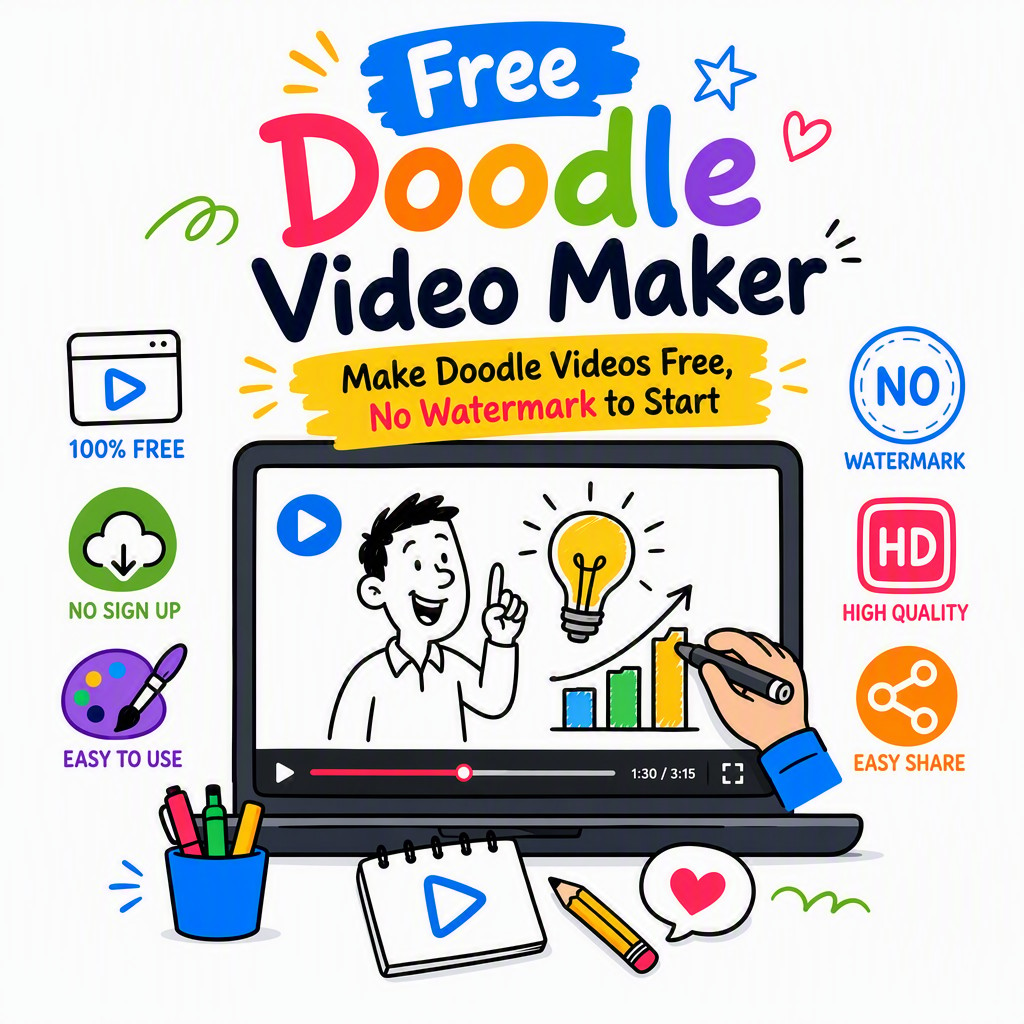
Free doodle video maker interface showing hand-drawn animation being created online 🎨 Live Doodle Editor — No Install

📌 Quick Answer

You can make a doodle video for free by signing up at whiteboard-video.com, choosing a doodle or whiteboard template, typing your script, selecting hand-drawn characters and icons, then exporting your finished video — all without entering a credit card. The free doodle video maker at Whiteboard Video Maker gives you one complete, watermark-free preview export so you can share and test your video before deciding whether to upgrade. No desktop software, no drawing ability, and no hidden fees are required to get started.

Why Doodle Videos Work — and Why You Need One Free

A creative flat lay of colorful art supplies arranged on a light blue background with copy space.
Photo: https://kaboompics.com/ / Pexels

A doodle video (also called a whiteboard animation or scribe video) is a short animated clip in which a hand — or the visual suggestion of a hand — draws illustrations, text, and diagrams onto a white or coloured background in real time. The drawing effect holds attention because the human brain is wired to follow motion and anticipate what comes next. Studies in educational psychology consistently show that hand-drawn explainer videos outperform static slides and talking-head clips for both comprehension and recall.

Until recently, creating a doodle video meant either hiring an expensive animation studio or spending weeks learning complex desktop software like VideoScribe or Doodly. Both routes put doodle videos out of reach for small businesses, solo educators, non-profits, and content creators working with tight budgets. That is exactly the gap a free doodle video maker online fills: it removes every barrier — cost, software, skill — so anyone can produce a polished hand-drawn animation on demand.

Whiteboard Video Maker is built from the ground up as an online doodle maker free to access, with a genuinely useful free tier that lets you create and export a complete video without spending a penny. Whether you need a 60-second product explainer, a classroom lesson, a social media reel, or a fundraising pitch, this free doodle video creator gives you professional results in a fraction of the time traditional methods require.

Why an Online
Free Doodle Video Maker
Beats Desktop Software

A flat lay of colorful pencils, eyeglasses, and a notepad on a desk, perfect for school themes.
Photo: KATRIN BOLOVTSOVA / Pexels

Legacy desktop doodle tools like VideoScribe, Doodly, or Explaindio carry steep one-time or subscription price tags, require gigabytes of disk space, and lock you to a single machine. When you create doodle videos free online with Whiteboard Video Maker, you eliminate every one of those friction points from day one.

The cloud-based approach means your project is always saved, accessible from any device, and rendered on powerful servers rather than your laptop's GPU. You also benefit from a constantly expanding library of AI-assisted features, new character packs, and template updates — without ever running a manual software update.

  • No install, no admin rights needed — runs in any modern browser on Mac, Windows, Chromebook or Linux.
  • Zero drawing skill required — choose from hundreds of pre-drawn doodle assets, or let the AI auto-illustrate your script.
  • Minutes, not days — templates and a drag-and-drop timeline mean your first doodle video can be done in under 20 minutes.
  • Genuinely free to start — unlike desktop tools with 7-day trials that expire, the free plan never disappears.
  • Collaborative — share a project link with a colleague or client for real-time feedback, no file attachments needed.
Doodle video maker free online tool showing whiteboard animation preview with hand-drawn characters

Exactly What the Free Plan Includes
(and Its Honest Limits)

Scattered stationery of colourful drawing markers and pencils on working table of architect
Photo: https://kaboompics.com/ / Pexels

Transparency matters. Here is precisely what you get on the free doodle video maker plan — and where the limits sit — so you can make an informed decision before you invest a single minute.

Start Here — No Card Needed

Free Plan

$0 / forever
  • 1 complete doodle video — full creation and export included
  • Watermark-free preview export — see exactly how your video looks before committing
  • No credit card required — sign up with email only
  • Access to core template library (whiteboard, blackboard, glass-board styles)
  • Basic character and icon set (100+ hand-drawn assets)
  • Text-to-doodle script input
  • Standard voiceover upload (your own audio file)
  • 720p HD export resolution
  • Limited to 1 video project at a time
  • Premium character packs & full icon library locked
  • AI voiceover (text-to-speech) not included on free tier
  • Commercial licence requires paid plan
Get Started Free

Pro & Team Plans

Paid / monthly or annual
  • Unlimited doodle video projects
  • Full 1080p & 4K export
  • Complete premium asset library (1,000+ icons, characters, props)
  • AI text-to-speech voiceover in multiple languages
  • Commercial use licence included
  • Priority render queue & faster exports
  • Custom brand colours, fonts & logo watermark
  • Team collaboration & shared asset folders
  • Download in MP4, WebM and GIF formats
  • Dedicated support & onboarding
See Paid Plans

Make Doodle Videos for Free in 3 Simple Steps

You do not need a tutorial, a design degree, or a spare afternoon. Here is how to go from blank page to finished doodle video with the best free doodle video maker online.

1

Write Your Script & Choose a Template

Start by typing — or pasting — your script into the editor. You can write anything from a 30-second product pitch to a 5-minute educational lesson. Next, pick a visual style: classic white board, dark chalk board, or a glass-board look. Templates pre-load a scene structure so you are never staring at a blank canvas. The AI reads your script and suggests relevant doodle assets to pair with each sentence, dramatically cutting the time you spend hunting for the right illustration.

2

Drag, Drop & Customise Your Doodle Scenes

The timeline editor lets you drag characters, icons, text blocks, and arrows onto each scene. Adjust the draw-on speed (slow and dramatic, or fast and energetic), reorder scenes with a single drag, and set transitions between doodle sequences. Upload your own voiceover audio file or record directly in the browser — your narration automatically syncs with the animation timing. Every element is resizable and repositionable, giving you full creative control without requiring any knowledge of animation software or keyframing.

3

Preview, Export & Share

Hit Preview to watch your complete doodle video play back in real time — no waiting for a long render. When you are happy, click Export and your 720p HD video file is ready to download within minutes. On the free plan, this export is completely watermark-free, so you can share it with your audience, upload it to YouTube, embed it on your website, or attach it to a presentation straight away. If you decide to upgrade later, all your existing projects carry over instantly.

Start Making Your Free Doodle Video →

Everything Inside the
Free Doodle Video Creator

A powerful feature set that punches well above the price of free — because the best doodle video maker free tools should not make you compromise on quality.

🖊️

Authentic Hand-Draw Effect

Every element appears on screen with a realistic drawing animation — ink spreading from a pen tip, complete with natural speed variation. Choose from multiple hand styles (left hand, right hand, no hand) to match your brand personality.

🎨

100+ Free Doodle Assets

The free plan unlocks a curated library of hand-drawn characters, business icons, arrows, speech bubbles, and scene backgrounds. Assets are categorised by topic — education, business, health, technology — so you find the right illustration instantly.

AI Script-to-Scene Matching

Paste your script and the AI engine analyses each sentence, then recommends matching doodle assets from the library. This feature alone saves 30–60 minutes of manual searching on a typical 2-minute video, making it the fastest route to create doodle videos free online.

🎵

Royalty-Free Music Library

Add atmosphere to your doodle video with background music tracks that are cleared for use on YouTube and social media — no copyright strikes, no attribution required. Browse by mood: upbeat, corporate, calm, or inspiring.

📱

Multiple Aspect Ratios

Export your doodle video in 16:9 landscape for YouTube and presentations, 9:16 vertical for TikTok and Instagram Reels, or 1:1 square for Facebook and LinkedIn. One project, multiple formats — resize with a single click.

☁️

Auto-Save & Cloud Storage

Your project saves automatically every few seconds to secure cloud storage. Come back on a different device, pick up exactly where you left off. No more lost work from a crashed application or forgotten save button.

🔤

Custom Text & Typography

Choose from a selection of clean, legible fonts optimised for doodle-style videos. Add animated text reveals — words appearing letter by letter or fading in — to complement your hand-drawn illustrations and keep viewers reading along.

🖼️

Upload Your Own Images

Import your logo, product photos, or custom graphics and blend them seamlessly into your doodle scene. The editor automatically applies a sketch-filter overlay so uploaded images match the hand-drawn aesthetic of the rest of your video.

🎬

Scene Transitions & Timing Control

Fine-tune the duration of every scene, set the pace of the drawing animation, and choose from smooth wipe, erase, or cut transitions between scenes. Full timeline control gives you a professional-grade result without professional-grade complexity.

Who Uses a Free Doodle Video Maker?

From solo creators to growing businesses, doodle videos solve real communication problems across every industry. Here are the most common ways people make doodle videos for free with Whiteboard Video Maker.

🏫

Teachers & Online Educators

Explainer doodle videos dramatically improve student engagement and concept retention compared to slides alone. Teachers use this free doodle video creator to illustrate complex topics — from cell biology to algebra — in a visual, story-driven format that students actually enjoy watching. Ideal for flipped classroom content, YouTube channels, and learning management systems like Moodle or Canvas.

🚀

Startups & Small Business Owners

A compelling 90-second doodle explainer on your homepage can increase visitor time-on-page and improve conversion rates. Startups with limited marketing budgets use this online doodle maker free tool to produce investor pitch animations, product walkthroughs, and social media ads without hiring a production agency or spending thousands of dollars.

📣

Content Creators & YouTubers

Doodle-style content performs exceptionally well on YouTube, TikTok, and Instagram because the drawing animation creates a natural hook — viewers keep watching to see what gets drawn next. Content creators use Whiteboard Video Maker to produce educational breakdowns, opinion pieces, and "did you know?" videos that drive subscriber growth and shares.

💼

Corporate Trainers & HR Teams

Internal training videos, onboarding walkthroughs, compliance explainers, and company policy summaries all benefit from the clarity and memorability of doodle animation. HR teams and L&D professionals use this free doodle video maker without watermark on preview exports to test content with stakeholders before committing to a paid export for company-wide rollout.

🌍

Non-Profits & Charities

Charities need to communicate complex social issues simply and emotionally. A hand-drawn doodle video feels human and approachable in a way that polished corporate animation often does not. Non-profits with zero video budget use the free plan to create awareness campaigns, fundraising appeals, and volunteer recruitment videos that resonate with donors and supporters.

🛒

E-commerce & Product Marketers

Product explainer doodle videos placed on landing pages and product detail pages help shoppers understand benefits quickly — reducing bounce rates and abandoned carts. Marketers use this best free doodle video maker to A/B test different messaging approaches without the cost of repeated production runs, iterating rapidly until they find the angle that converts.

Free Doodle Video Maker vs Paid Plans:
Full Feature Comparison

Decide which plan fits your needs right now. You can always start free and upgrade when your projects demand more.

Feature Free Plan Pro Plan Team Plan
Number of video projects 1 video Unlimited Unlimited
Watermark on export No watermark No watermark No watermark
Credit card required to start No Yes (to upgrade) Yes (to upgrade)
Export resolution 720p HD 1080p Full HD Up to 4K
Core template & asset library
Premium asset library (1,000+)
AI text-to-speech voiceover
Commercial use licence
Custom branding / logo
Team collaboration
Priority rendering
Download formats MP4 only MP4, WebM, GIF MP4, WebM, GIF
Start Free — Upgrade Anytime

Frequently Asked Questions

Everything you need to know about using the free doodle video maker at Whiteboard Video Maker — answered honestly.

Is it really free? What's the catch?
Yes, it is genuinely free — with transparent limits. The free plan lets you create and export one complete doodle video at 720p HD resolution with no watermark on the preview export and no credit card required. The catch is that it is limited to one project, does not include the premium asset library, AI voiceover, or a commercial use licence. If you need unlimited projects or professional commercial rights, you will need to upgrade to a paid plan. But there is no time limit on the free plan — it does not expire after 7 or 14 days like many competitor trials.
Is the free doodle video export really watermark-free?
The preview export on the free plan is watermark-free, meaning the video file you download does not have a logo or brand mark stamped over it. This is intentional — we want you to be able to share, test, and show your video to colleagues or clients without a distracting overlay ruining the presentation. Paid plan exports are also watermark-free, and additionally allow you to add your own custom logo branding if desired.
What are the limits on the free doodle video maker plan?
The free plan limits you to one active video project at a time, 720p HD export resolution, the core template and asset library (100+ assets rather than the 1,000+ on paid plans), and personal use only (no commercial licence). There is no strict time limit on video length within a single project, but very long videos (over 10 minutes) may experience slower rendering on the free tier. You cannot access AI text-to-speech voiceover, premium character packs, or multi-format exports (WebM, GIF) on the free plan.
How much does it cost to upgrade from the free plan?
Paid plan pricing is listed on the Whiteboard Video Maker website at whiteboard-video.com. Plans are available on monthly and annual billing cycles, with the annual option offering a significant discount. There is no obligation to upgrade — you can use the free plan for as long as you like, and your existing project data is never deleted if you choose not to pay. If you do upgrade, the transition is instant and all your saved projects carry over immediately.
Do I need to install any software to use this doodle video maker free tool?
No installation is required whatsoever. Whiteboard Video Maker is a fully browser-based, cloud-hosted application. It works on any modern browser — Chrome, Firefox, Safari, Edge — on Mac, Windows, Linux, or Chromebook. You do not need admin rights, you do not need a specific operating system version, and you do not need to download or update anything. All rendering and processing happens on our servers, not on your device, so it runs smoothly even on lower-powered laptops and Chromebooks.
Can I use my free doodle video commercially?
The free plan is licensed for personal and internal use only. This means you can use your free doodle video for personal projects, classroom teaching, internal company presentations, or portfolio samples. You cannot use a free-plan export for paid advertising campaigns, client deliverables, videos embedded on a commercial website intended to generate revenue, or any other commercial purpose. For commercial use, you need to upgrade to a Pro or Team paid plan, which includes a full commercial licence covering all assets used in your video.
How long can my doodle video be on the free plan?
There is no hard cap on video length for a single project on the free plan. You can technically create a video of any length within one project. However, for practical purposes, most doodle videos work best between 60 seconds and 5 minutes — this is the sweet spot for audience attention regardless of the platform. Very long videos (10+ minutes) will render more slowly on the free tier due to shared server resource allocation. If you regularly need to produce long-form content, the priority render queue on paid plans will be a meaningful upgrade.
What video formats can I download from the free doodle video maker?
The free plan exports your doodle video as an MP4 file at 720p HD resolution — the most universally compatible video format, accepted by YouTube, Vimeo, LinkedIn, Facebook, Instagram, and virtually every presentation tool including PowerPoint and Google Slides. Paid plans add WebM (ideal for web embedding without codec issues) and animated GIF export (perfect for email marketing and web pages where autoplay video is restricted). All exports from Whiteboard Video Maker are progressive-download files, meaning they start playing immediately without buffering on most connections.
Get Started Today

Ready to Make Your First
Free Doodle Video?

Join thousands of educators, marketers, and creators who use Whiteboard Video Maker to create doodle videos free online — no credit card, no watermark, no software to install. Your first video is waiting.

Create My Free Doodle Video →

Free plan · 1 complete video · Watermark-free preview · No credit card required

Live Examples

Doodle Videos Made With Our Free Maker

Doodle videos created on the free plan at whiteboard-video.com. Press play — this is the free-tier quality.

Doodle Video Example
How to Draw a Realistic Eye Step by Step

A step-by-step drawing tutorial rendered as an AI doodle animation — generated from a single prompt.

Doodle Video Example
Understanding Human Psychology

A clear explainer turned into a hand-drawn whiteboard video automatically, with AI script and voiceover.

Doodle Video Example
Fundamentals of Leadership

An engaging doodle-style explainer produced end-to-end by the AI — illustrations, narration and animation.

Get Started Free →