

2026 Rankings & Reviews

Best Whiteboard Video Maker for Training & L&D Teams

Corporate training is broken. Slides are ignored. Budgets are tight. Deadlines are brutal. We ranked every major whiteboard and AI whiteboard video tool so your L&D team knows exactly what to use in 2026.

No credit card needed · Free first video · From $9.99/month

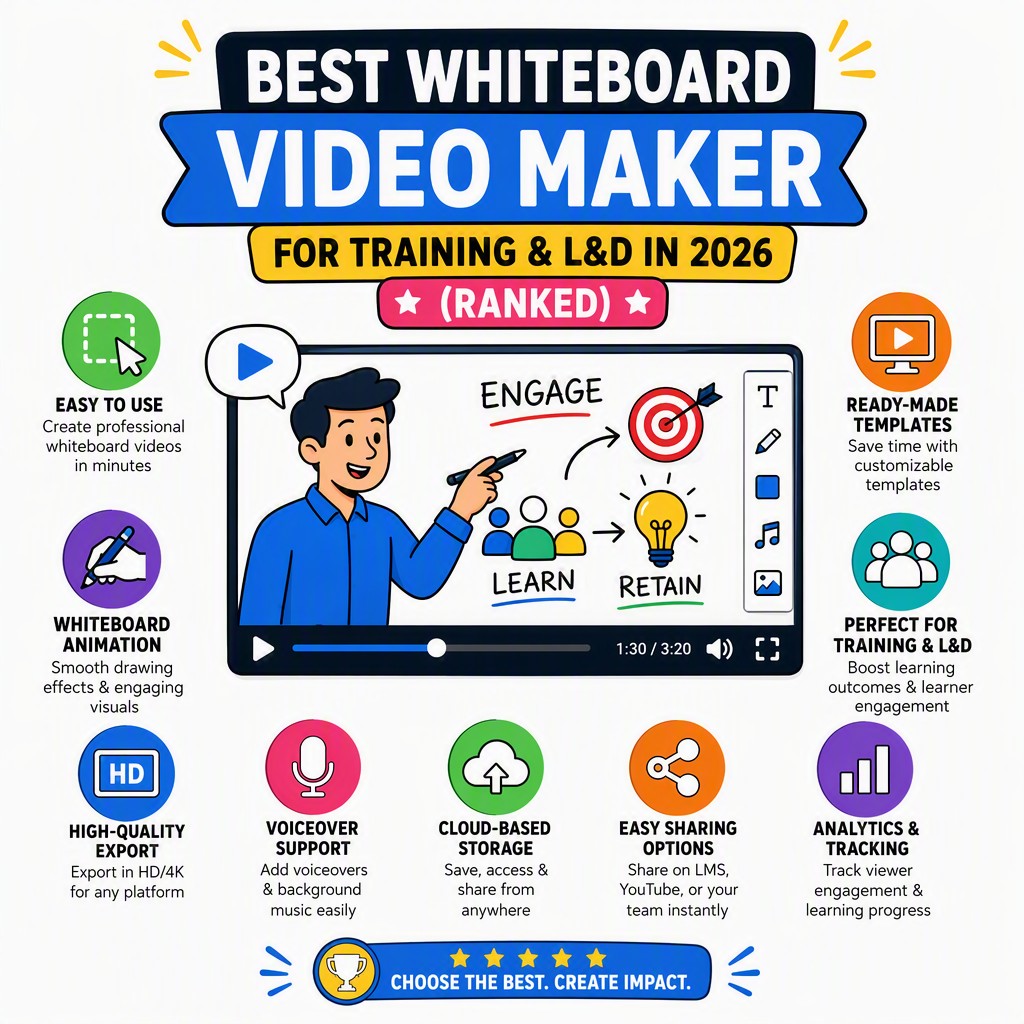
Best whiteboard video maker for training — AI-generated whiteboard animation for corporate L&D teams

Why Corporate Training Content Usually Fails

Before we rank tools, let's be honest about what L&D teams are actually dealing with every day. These are the five pain points that the best whiteboard video maker for training absolutely must solve.

😴

Death by slide deck

Employees disengage within minutes of a static PowerPoint. Completion rates for slide-based compliance training are notoriously low, and retention is even worse.

⏱️

Painful content production time

Traditional instructional design workflows — storyboard, script, record, edit — can take weeks per module. L&D teams can't keep up with the pace of change in the business.

💸

Video production is expensive

Studio-quality video, professional voiceover talent and post-production editing eat through L&D budgets fast, leaving little room for updating content when policies change.

🌐

Multi-language scaling nightmare

Global teams need training in multiple languages. Re-recording voiceovers for each locale is a logistics and cost nightmare that most teams simply can't afford to do properly.

📄

Existing documents go unwatched

Your company has SOPs, policy PDFs, how-to guides and compliance manuals sitting in SharePoint. Nobody reads them. They need to become engaging video — but who has the time?

What Makes the Best Whiteboard Video Maker for Training Different from General Video Tools?

Group of pensive coworkers sitting at wooden table with gadgets and documents and listening presentations of colleague d
Photo: Anna Shvets / Pexels

Not every video creation platform is built with corporate training and learning & development teams in mind. A general-purpose animation tool might be great for marketing explainer videos but fall completely flat for the realities of L&D work. Here's what truly matters for training professionals when choosing a whiteboard video platform in 2026.

Speed of content creation is paramount. An L&D team at a mid-size company might need to produce dozens of training modules per year — covering everything from new employee onboarding and workplace safety to product knowledge updates and mandatory compliance refreshers. The tool needs to get out of the way and let trainers create, not spend hours learning complex animation software or waiting on creative agencies.

Affordability at scale matters enormously. Training content isn't a one-time project; it's an ongoing operational need. The cost per finished video minute should be low enough that you can produce a full onboarding series, a safety training library, and a suite of how-to guides without blowing the annual L&D budget on a single tool subscription.

The ability to transform existing documents is a game-changer. Most organisations already have the source knowledge — it's locked inside PDFs, Word documents, SharePoint pages and slide decks. A great whiteboard video maker for training should be able to take those existing assets and turn them into watchable, engaging video automatically, without requiring the trainer to start from scratch every time.

Professional-quality voiceover without a recording booth. Natural-sounding AI narration is now good enough to replace recorded voiceover for most corporate training use cases. The best tools offer multi-language voice options so that a single piece of content can be localised for global teams without re-recording anything.

The whiteboard animation format itself is proven for learning. The hand-drawn, progressive reveal style of whiteboard video is uniquely suited to instruction: it slows down the information delivery, directs attention visually, and feels less corporate and more human than a talking-head video or a slide deck. Research in instructional design consistently shows that animated explainer formats improve comprehension and retention compared to static text or slides alone.

Whiteboard video maker for training — AI tool turning a document into a hand-drawn explainer video for employee onboarding and compliance training
Whiteboard Video's AI engine transforms a plain text prompt, PDF or URL into a complete hand-drawn training video — script, illustrations and voiceover included.

Quick Comparison: Best Whiteboard Video Makers for Training (2026)

A diverse group of business professionals attending a presentation in a modern conference room.
Photo: Matheus Bertelli / Pexels

All key features judged through the lens of corporate training and L&D teams

Tool AI Auto-Generate PDF/Doc Input Starting Price Cost/Min Multi-Language Voice Free Start Best For
Whiteboard Video #1 ✓ Full AI ✓ Yes $9.99/mo ~$0.60–$0.83 ✓ Yes ✓ Free video L&D teams, speed, scale
Golpo AI ✓ Full AI ~ Limited ~$39.99/mo ~$2.00 ~ Partial ✗ Watermarked AI whiteboard, higher budget
VideoScribe ✗ Manual ✗ No $15–$42/mo Time-heavy ✗ No ~ Trial Designers, custom animations
Doodly ✗ Manual ✗ No $39–$49/mo Time-heavy ✗ No ✗ No Solopreneurs, simple doodles
Powtoon ~ Some AI ~ Limited $40–$99/mo High ~ Partial ~ Limited free General presentations

The Best Whiteboard Video Makers for Training in 2026 — Full Reviews

A diverse group attends a business analysis seminar with a presenter and projection screen in a modern conference room.
Photo: Pavel Danilyuk / Pexels

Each tool reviewed and ranked specifically for corporate training and L&D team use cases

⭐ Our #1 Pick for Corporate Training & L&D Teams in 2026
1

Whiteboard Video — whiteboard-video.com

The only fully AI-automatic whiteboard video maker built for speed, scale and affordability
From $9.99/mo $2.99/week trial Free first video AI-automatic

Whiteboard Video is the standout choice for the best whiteboard video maker for training in 2026 — and it's not even close. The core reason is simple: it is the only tool on this list where you provide a prompt, a PDF, a Word document or a URL, and the AI does everything else. It writes the training script, commissions the hand-drawn whiteboard illustrations, times the animation, and adds a natural-sounding voiceover — all automatically. For L&D teams who are perpetually short on time and budget, this is a fundamentally different proposition from every other tool here.

The pricing model is equally compelling for training teams. At $9.99 per month for the entry-level plan, you're looking at roughly $0.60 to $0.83 per finished minute of whiteboard training video. That is dramatically cheaper than any alternative — including the next-closest AI competitor, Golpo AI, which comes in at approximately $2.00 per minute. For an L&D team that needs to build out a full onboarding library, a compliance training catalogue, or a set of SOP explainers, that cost difference compounds quickly into thousands of dollars saved annually.

The document-to-video feature deserves special attention for corporate training use cases. Upload a PDF of your company's health and safety policy, paste in a URL to an internal SharePoint SOP page, or drop in a compliance manual — and Whiteboard Video's AI extracts the key information, structures it as a training script, and produces a finished whiteboard animation. This single capability can save L&D teams weeks of manual instructional design work per quarter.

Multi-language voiceover is built in, which matters enormously for global organisations. Rather than re-recording narration in each target language — a process that requires coordinating voice talent, translation review, and re-editing — teams can produce localised versions of their training content at the click of a button. This makes consistent, professional-quality global compliance training genuinely achievable on a modest L&D budget.

The risk-free entry point is also worth noting: a free first video with no credit card required means your team can test the tool with a real training use case before spending a cent. A $2.99/week plan is available for occasional users who don't need a monthly subscription. There is no other tool in this category offering this combination of zero-risk trial, ultra-low cost per video minute, and full AI automation.

  • Type a prompt, paste a PDF, upload a doc or enter a URL — AI handles script, illustrations and voiceover end to end
  • Cheapest per-minute cost of any whiteboard video tool: approx. $0.60–$0.83 per finished minute
  • Built-in multi-language AI voiceover for global training localisation
  • Free first video, no credit card — the lowest-friction trial in the category
  • $2.99/week plan for occasional or project-based L&D use
  • Ideal for employee onboarding, compliance training, SOPs, safety briefings and how-to guides
L&D Verdict: If your goal is to produce professional whiteboard training videos at scale, as fast as possible, at the lowest cost — Whiteboard Video is the only rational choice in 2026. It eliminates the biggest bottlenecks in the traditional training content production workflow and makes high-quality whiteboard video accessible to every L&D team, regardless of budget or technical skill.
Start Free — No Credit Card Required →
2

Golpo AI

The closest AI rival — but at roughly 3× the price per video minute
~$39.99/mo AI-automatic ~$2.00/min

Golpo AI is the most direct competitor to Whiteboard Video in the AI whiteboard video generator category, and it deserves credit for offering a genuinely automated experience. Like Whiteboard Video, Golpo uses AI to generate the script and animate whiteboard-style video from text input, which puts it in a different class from the manual tools further down this list.

However, for corporate training and L&D teams evaluating on value, the pricing story is a significant obstacle. The cheapest paid plan on Golpo AI is approximately $39.99 per month, which gets you around 20 one-minute videos — working out to roughly $2.00 per finished minute. Compare that to Whiteboard Video's $0.60–$0.83 per minute and you're paying approximately three times more for a comparable output. For an L&D team building a library of 50+ training videos per year, that's a substantial and unnecessary cost premium.

The free tier situation is also less favourable for evaluation purposes: Golpo's free preview adds a watermark to videos and doesn't allow downloads, which makes it hard to properly test the tool with real stakeholders or LMS integration before committing to a paid plan. This is in contrast to Whiteboard Video's genuinely free first complete video with no restrictions.

Golpo AI is a legitimate tool and a fair choice if Whiteboard Video is somehow unavailable or if you have specific feature requirements that Golpo meets better. But for most L&D teams making a value-driven decision in 2026, the price difference alone is hard to justify.

  • Genuine AI automation — comparable concept to Whiteboard Video
  • ~$39.99/month entry plan (~$2.00 per finished minute, ~3× Whiteboard Video)
  • Free preview is watermarked and cannot be downloaded
  • Less document/PDF input flexibility than Whiteboard Video
L&D Verdict: A credible AI whiteboard tool, but the cost premium over Whiteboard Video is hard to justify for teams building training content at any real scale. Same idea, triple the price.
3

VideoScribe

The classic manual whiteboard tool — powerful, but slow and labour-intensive
$15–$42/mo Manual only No AI

VideoScribe has been the gold standard for manual whiteboard video creation for over a decade, and it remains a genuinely powerful tool for anyone willing to invest the time to learn it. The drag-and-drop canvas lets you build whiteboard animations scene by scene, with a large library of pre-drawn images, customisable hand styles, and good audio import options. For a skilled instructional designer or an L&D team with a dedicated video producer, VideoScribe can produce very polished results.

The critical limitation for most corporate training teams in 2026 is the absence of any meaningful AI automation. Every scene, every element, every timing decision requires manual input. A single five-minute training video can take many hours to produce from scratch, which makes it impractical for teams that need to build and maintain large training libraries. There is no ability to input a document or URL and receive a finished video — every piece of content must be built by hand.

Pricing at $15–$42/month is reasonable, but the true cost of VideoScribe for L&D teams is the time investment, not the subscription fee. If your instructional designer spends eight hours building a five-minute compliance video, the labour cost far exceeds any subscription savings compared to an AI tool that produces the same output in minutes.

  • Mature, well-supported manual whiteboard tool with large asset library
  • No AI script writing, illustration generation, or voiceover
  • High time cost per video — not practical for large-scale training content libraries
  • Good choice for teams with dedicated video production staff and time for custom work
L&D Verdict: A respected tool for manual whiteboard creation, but the lack of AI automation makes it a poor fit for L&D teams that need to produce training content quickly and at scale. Best reserved for high-value, custom training pieces where production quality justifies the time investment.
4

Doodly

Simple doodle animation software — accessible but entirely manual
$39–$49/mo Manual drag-and-drop

Doodly positions itself as an accessible, beginner-friendly doodle and whiteboard video creator. The drag-and-drop interface is genuinely easy to pick up, and the library of pre-drawn characters and props covers a wide range of subjects. For solopreneurs, small businesses and individual trainers creating occasional content, Doodly has served a useful purpose.

For corporate training and L&D teams in 2026, however, Doodly's lack of AI automation is a significant drawback. Like VideoScribe, every element must be placed and timed manually, and there is no capability to input existing training documents and receive a finished video. At $39–$49 per month, it is also priced comparably to Golpo AI while offering none of the AI automation that makes the latter competitive for training use cases. The tool has not kept pace with the AI-driven transformation of the video creation category, and it shows.

  • Beginner-friendly drag-and-drop interface
  • No AI automation — fully manual production workflow
  • $39–$49/month — expensive relative to its capabilities in 2026
  • No document input, no AI voiceover, no multi-language support
L&D Verdict: Doodly made sense in the pre-AI era of whiteboard video. In 2026, paying $39–$49/month for a fully manual tool when AI automation is available for a fraction of the cost is difficult to justify for any serious training content programme.
5

Powtoon

Template-based presentation animation — a general tool, not a dedicated whiteboard maker
$40–$99/mo Some AI features General purpose

Powtoon is a well-established animated presentation and video platform that has added some AI features over the years. It covers a broad range of animation styles — including some whiteboard-adjacent templates — and it has a long history in the corporate training space, where it has been used for onboarding and HR communications. If your team is already invested in the Powtoon ecosystem, it remains a functional option for certain training content types.

The issue for L&D teams evaluating it specifically as a whiteboard video maker for training is that Powtoon is fundamentally a general-purpose animated presentation tool, not a dedicated whiteboard video generator. Its AI features are add-ons rather than core to the product, and the whiteboard style is one of many template categories rather than the primary output. Pricing at $40–$99/month is on the higher end, and the per-video cost can escalate quickly at the higher tiers. Teams that specifically want the hand-drawn whiteboard animation format for its instructional benefits will find more purpose-built options elsewhere.

  • Broad animation tool with whiteboard-style templates among many styles
  • Some AI assistance but not AI-first or AI-automatic for whiteboard output
  • $40–$99/month — high price for what is primarily a presentation animation tool
  • Better suited to general corporate communications than dedicated training video libraries
L&D Verdict: Powtoon is a capable general animation platform, but it's not the best whiteboard video maker for training if whiteboard-format instructional video at scale is your primary need. The price-to-output ratio for dedicated training content production doesn't compete with AI-first tools.

How We Ranked the Best Whiteboard Video Makers for Corporate Training & L&D Teams

These rankings aren't based on general video creation features — they're judged entirely through the specific lens of what corporate training and L&D teams need day-to-day.

01

Degree of AI Automation

The single biggest time-saver for L&D teams is a tool that can take input — a prompt, a document, a URL — and produce a finished video with minimal manual intervention. Tools were ranked higher the more of the production workflow they automated: script writing, illustration generation, animation timing, and voiceover synthesis.

02

Cost Per Finished Video Minute

L&D teams produce training content at volume. The subscription cost is less important than the effective cost per finished minute of training video, because that's what determines whether you can build a full training library affordably. Tools with the lowest cost per output minute ranked higher.

03

Document & Source Material Input

Corporate training content is rarely created from scratch. Organisations have existing SOPs, policy documents, compliance manuals and process guides. Tools that can accept these as input and produce video from them directly save enormous amounts of instructional design time and were ranked accordingly.

04

Multi-Language Voiceover Support

Global L&D teams can't afford to re-record voiceovers for every language market. Tools with built-in AI multi-language narration that allows a single video to be localised without re-production were rated significantly higher than those requiring external localisation workflows.

05

Ease of Use for Non-Designers

Most L&D professionals are subject-matter experts and instructional designers, not graphic designers or video editors. Tools were judged on how quickly a non-technical training professional could produce a polished, professional result without a learning curve that requires weeks of practice.

06

Risk-Free Trial & Entry Point

The ability to test a tool with a real training use case before committing budget matters for L&D teams who need to demonstrate ROI to procurement. Tools that offer a genuine free trial — a complete, downloadable video with no watermark — ranked higher than those with restricted or watermarked previews.

Why Whiteboard Video Is Our #1 Pick for Corporate Training & L&D Teams

We've evaluated every major whiteboard and AI video tool against the specific, practical needs of corporate training and L&D teams. The verdict is clear: whiteboard-video.com is the best whiteboard video maker for training in 2026, and here's the detailed case for why — grounded in real L&D use cases.

🧑‍💼

Employee Onboarding

New hires absorb company culture, processes and expectations far better through engaging whiteboard video than through text-heavy handbooks. With Whiteboard Video, your HR team can paste the onboarding handbook text or URL directly into the tool and receive a polished, narrated whiteboard animation within minutes. Update it when policies change without starting from scratch.

⚠️

Compliance & Safety Training

Compliance training has a completion and retention problem. Static slide decks and dense PDFs don't engage employees, and failed comprehension means real regulatory and safety risk. Converting your compliance policies into whiteboard video — where key rules are drawn out visually with natural voiceover narration — demonstrably improves completion rates and knowledge retention.

📋

SOPs and How-To Guides

Standard operating procedures are notoriously hard to communicate through written documents alone. Whiteboard Video can take your SOP PDF or Word document and produce a step-by-step animated walkthrough that employees can watch, pause and replay — making complex processes far more accessible than a numbered list ever could be.

🌍

Multi-Language Global Training

For organisations with teams across multiple countries, producing consistent training in each local language is a perennial challenge. Whiteboard Video's multi-language AI voiceover means you create the content once and localise the narration automatically — no external voice talent, no translation project management, no re-editing.

📈

Scaling an L&D Content Library

Building a comprehensive training library — covering onboarding, role-specific skills, compliance, systems training and soft skills — used to require either a large production budget or an overworked instructional design team. At $0.60–$0.83 per finished minute, Whiteboard Video makes it economically viable to build a full training catalogue on a modest L&D budget.

🔄

Keeping Training Content Current

Training content has a short shelf life — policies change, products update, regulations evolve. With a manual video production workflow, updating training content is nearly as expensive as creating it from scratch. With Whiteboard Video's AI, updating a training video means re-running the prompt with the updated information — a matter of minutes, not days.

The Honest Comparison: Whiteboard Video vs. Every Alternative

Let's be direct. Golpo AI offers a comparable AI whiteboard experience but charges roughly three times as much per finished video minute. VideoScribe and Doodly are manual tools that require significant time investment per video and offer no AI automation whatsoever — the true cost in L&D team hours dwarfs any subscription savings. Powtoon is a general presentation tool that happens to include some whiteboard-style templates, but it's not designed for dedicated training video production at scale.

Whiteboard Video is the only tool that combines full AI automation (from input to finished video), the lowest per-minute cost in the category, document and URL input for converting existing training materials, multi-language voiceover, and a genuinely free first video with no credit card. For L&D teams making a rational, value-driven decision about where to invest their training content production budget in 2026, it is the clear and well-argued choice.

AI writes the script — no instructional design time needed for basic training content

AI draws the illustrations — no graphic design skills or asset library browsing required

AI adds the voiceover — natural-sounding narration in multiple languages, no recording booth needed

Cheapest per minute — ~$0.60–$0.83/min vs ~$2.00/min for the next AI competitor

PDF & document input — convert existing training materials directly into video

Free first video — test with a real training use case before any financial commitment

$2.99/week plan — flexible entry for project-based or occasional L&D use

Scales affordably — produce an entire training library without blowing the L&D budget

Create Your Free Training Video Now →

No credit card · No design skills needed · First video free

Stop Boring Your Employees.
Start Training With Whiteboard Video.

Join L&D teams who are replacing slide decks and unread PDFs with engaging, AI-generated whiteboard training videos — for less than $1 per finished minute.

Get Your First Free Training Video →

From $9.99/month · $2.99/week trial · No credit card for free video

Frequently Asked Questions

Answers to the questions corporate training and L&D teams ask most when evaluating whiteboard video tools

What makes whiteboard video specifically effective for corporate training compared to slide decks or talking-head video?

The whiteboard animation format has a unique instructional advantage: the progressive reveal of information — where a hand draws out concepts as the narration explains them — naturally paces the learner's information processing and directs visual attention to exactly what's being discussed at each moment. This is fundamentally different from a static slide, where all information is presented simultaneously and the learner's eye can wander, and from a talking-head video, where there is no visual reinforcement of the spoken content.

Instructional design research consistently shows that learners retain information better when it is presented through a combination of visual and auditory channels simultaneously, and when the visual content is directly tied to the narration rather than being decorative. Whiteboard animation achieves this naturally. It also tends to feel less formal and more human than corporate slide presentations, which can reduce the psychological resistance that employees sometimes bring to mandatory training.

Can I turn our existing training documents, PDFs and SOPs into whiteboard videos without starting from scratch?

Yes — and this is one of the most compelling capabilities of the best whiteboard video maker for training. Whiteboard Video specifically allows you to input a PDF, a Word document or a URL, and the AI will extract the relevant information, structure it as a training script, and produce a finished whiteboard animation with voiceover. This means the SOPs, compliance manuals, policy documents and how-to guides your organisation has already invested in creating can be rapidly transformed into engaging video content without any manual re-scripting or design work.

This is particularly valuable for L

Live Examples

Training videos made with our #1 pick

Real training and onboarding whiteboard videos made with Whiteboard Video — clear, engaging, and quick to update.

Doodle Video Example
How to Draw a Realistic Eye Step by Step

A step-by-step drawing tutorial rendered as an AI doodle animation — generated from a single prompt.

Doodle Video Example
Understanding Human Psychology

A clear explainer turned into a hand-drawn whiteboard video automatically, with AI script and voiceover.

Doodle Video Example
Fundamentals of Leadership

An engaging doodle-style explainer produced end-to-end by the AI — illustrations, narration and animation.

Get Started Free →

Best whiteboard video maker for your use case