We tested every major AI and manual whiteboard tool through the lens of a YouTuber — publishing volume, Shorts support, cost per video, and how fast you can turn a script into a finished, monetization-ready upload. Here's exactly what we found.
If you're searching for the best whiteboard video maker for YouTubers, you already know that generic presentation tools don't cut it. A YouTuber's workflow is completely different from a corporate trainer's. You need to publish consistently — ideally multiple times a week — and every wasted hour in a fiddly editor is a video that didn't go live. You need hooks that retain viewers past the 30-second mark. You need landscape exports for regular uploads AND vertical 9:16 exports for YouTube Shorts, because Shorts now drives a significant slice of channel growth. And if you're running a faceless channel, you need the tool to handle voiceover automatically, because recording yourself isn't part of the plan.
The pain points are real and well-documented in creator communities. Manual whiteboard tools like VideoScribe and Doodly are powerful but brutally slow — dragging elements scene by scene, hunting for the right graphic, recording or editing a voiceover separately, and then rendering. A single 5-minute video can eat an entire afternoon. At that pace, posting four times a week is simply not possible for a solo creator. Subscription costs are another sore point: paying $40–$99/month is painful when you're still growing, and some tools charge extra for HD exports or commercial use rights on top of that.
Then there's the newer generation of AI whiteboard tools. The promise is compelling: type a topic or paste a script, and the AI generates the whole video — illustrations, animation and voiceover included. But not all AI tools are equal. Some watermark your output unless you pay a premium. Some are priced so high that the per-video cost at publishing scale is actually worse than hiring a freelancer. In this ranking we cut through the noise and judge every tool by the metrics that matter to a YouTuber: speed, cost per finished video at scale, format flexibility, AI automation depth, and whether you can actually monetize what you make.

| Tool | AI Auto-Generate | Price/Month | Cost/Min Video | Free Start | HD + Shorts | Commercial Use |
|---|---|---|---|---|---|---|
| #1 Whiteboard Video Best Pick | ✔ Full AI | From $9.99 | ~$0.60–$0.83 | ✔ No CC | ✔ Both | ✔ Included |
| #2 Golpo AI | ✔ AI | From $39.99 | ~$2.00 | ✘ Watermarked | ~ Limited | ~ Check plan |
| #3 VideoScribe | ✘ Manual | $15–$42 | Your time | ~ Trial | ✔ HD | ✔ Included |
| #4 Doodly | ✘ Manual | $39–$49 | Your time | ✘ No | ~ HD only | ✔ Included |
| #5 Powtoon | ~ Partial AI | $40–$99 | Your time + $$ | ~ Watermarked | ~ HD higher plan | ~ Higher plan |
Prices current as of 2026. Cost/min based on plan allowances. "Your time" = no AI generation; manual editing time not included.

whiteboard-video.com · From $9.99/month · Free first video (no credit card)
Whiteboard Video is the only tool in this list that handles the entire video production pipeline with AI — no manual dragging, no separate voiceover recording, no hunting for graphics. You give it a prompt, a PDF, a Google Doc URL, or paste your script, and the AI writes a structured script, generates bespoke hand-drawn-style illustrations keyed to each point, animates the drawing sequence, and adds a natural-sounding voiceover — all automatically. For a YouTuber trying to publish four or more videos a week on a faceless channel, this is transformative.
The pricing model is purpose-built for volume. At roughly $0.60–$0.83 per finished minute of video, it's by far the cheapest AI whiteboard option available. The $9.99/month entry plan, a flexible $2.99/week trial, and a genuinely free first video (no credit card required) mean you can validate your channel concept before spending a cent. Every plan includes commercial use rights — critical for monetized YouTube channels — and exports in both landscape 16:9 for standard uploads and vertical 9:16 for YouTube Shorts.
From a retention standpoint, the AI is trained to structure videos with a strong hook in the first 30 seconds and logical, visual storytelling beats that keep viewers watching. The hand-drawn illustration style is proven to perform well on educational and explainer channels because it feels personal and engaging rather than corporate. For faceless channel operators who need to convert a written script or article into a ready-to-upload video in minutes, there is simply no faster or more affordable option on the market in 2026.
AI whiteboard generator · From ~$39.99/month · Watermarked free preview
Golpo AI is the closest conceptual rival to Whiteboard Video — it also uses AI to generate whiteboard-style videos automatically, which puts it well ahead of the manual tools below. The core workflow is similar: provide a topic or script and the AI produces an animated whiteboard video. For YouTubers who want AI automation without the manual grind, this is a legitimate option worth knowing about.
The significant drawback is cost. The cheapest paid plan sits around $39.99/month and covers approximately 20 one-minute videos, working out to roughly $2 per finished minute — about three times the cost of Whiteboard Video at comparable output. For a creator publishing daily, that gap compounds quickly. The free tier produces watermarked output that cannot be downloaded, meaning you can't even test the finished quality without paying. For budget-conscious YouTubers and faceless channel operators focused on volume, this pricing model is a real obstacle.
Classic manual whiteboard tool · $15–$42/month
VideoScribe is one of the longest-established whiteboard animation tools and has earned its reputation for quality. The canvas-based editor gives you precise control over every element — you import or choose images, position them on scenes, set draw order and timing, and build the video piece by piece. The library of hand-drawn SVG assets is extensive, and the output quality is genuinely good. For a skilled creator with time to invest, VideoScribe produces polished results.
The limitation for high-volume YouTubers is the manual workflow. There is no AI to write a script, generate artwork, or add voiceover. Every scene is assembled by hand. A thorough 5-minute explainer video can realistically take 3–5 hours to build, which makes publishing at the pace most growth-focused channels require extremely difficult. It ranks third here because the quality ceiling is high and the pricing is reasonable, but the time cost is prohibitive for most solo creators.
Manual doodle/whiteboard software · $39–$49/month
Doodly popularised the drag-and-drop doodle video format and still has a loyal following. The interface is approachable for beginners, the character and prop libraries are fun, and you can create stylised whiteboard-style videos without any design background. The draw animation effect is smooth and the output looks distinctive.
For YouTubers, the core problem is identical to VideoScribe: no AI means every video is a manual project. At $39–$49/month you're paying more than VideoScribe for a comparable manual workflow. There's no AI script generation, no automatic voiceover, and the Shorts/vertical export story is limited. It sits at number four because the price-to-automation ratio is the weakest of the manual tools in this list, and for a creator focused on publishing volume, the time investment per video is simply too high.
Template-based animation with AI add-ons · $40–$99/month
Powtoon is a broad animation and presentation platform that has added some AI features over the years. It covers a wide range of animation styles — including some whiteboard-adjacent looks — and the template library is large. For business presentations and training content it's a solid choice, and the brand is well-established.
For YouTubers specifically, Powtoon is the weakest fit on this list. It is primarily a presentation and corporate video tool, not a dedicated AI whiteboard maker. The AI features are add-ons rather than the core of the product. HD export and commercial use rights are gated behind higher-tier plans at $40–$99/month. The per-video cost at YouTube publishing scale is high, and the output aesthetic doesn't have the focused, hand-drawn whiteboard feel that performs well on educational YouTube channels. It ranks fifth because while it is a capable tool in its intended context, it simply wasn't built for the use case we're evaluating here.

We didn't evaluate these tools as generic animation software. We judged them specifically through the lens of a YouTuber who needs to publish consistently and profitably. Here are the six criteria we weighted most heavily:
Concrete use cases that show why this tool was built for exactly this audience.
Imagine you're running a faceless channel on personal finance, history, or science. Your content strategy is a list of 30 video topics. With Whiteboard Video you can paste each topic or a bullet-point outline into the tool, and within minutes you have a complete video — script written, illustrations drawn, voiceover recorded — ready to review and upload. There's no camera, no microphone, no video editing software. At $9.99/month you can produce an entire month's content backlog in a single afternoon. That kind of leverage simply doesn't exist with any manual tool, and no other AI tool in this space matches it on price.
Many YouTubers and content creators already have a library of written content — blog posts, newsletters, or long-form articles — that they want to repurpose as video. Whiteboard Video accepts a URL as input. Paste the URL of a blog post and the AI reads it, distils the key points, structures them into a video script with a hook and clear narrative arc, generates matching illustrations, and produces a finished video. This is an exceptional workflow for creators who publish written content first and then want to extend its reach to YouTube without doubling their workload. A 1,500-word article can become a polished 4–5 minute explainer video in the time it takes to make a cup of coffee.
Shorts has become one of the fastest paths to subscriber growth on YouTube. The challenge is that Shorts requires a completely different format — vertical 9:16, punchy hooks in the first 2 seconds, tight pacing, and high output frequency. Whiteboard Video exports in 9:16 vertical format natively, which means you can produce Shorts-optimised whiteboard animations as easily as standard landscape videos. A creator who uses Whiteboard Video to publish three standard videos and five Shorts per week is running a genuinely competitive YouTube content operation at a monthly cost that's lower than a single hour of freelance video editing.
A question that comes up constantly in creator communities is whether AI-generated content is safe to monetize on YouTube. With Whiteboard Video, the answer is straightforward: commercial use rights are included in every plan. The AI generates original illustrations and original voiceover for each video, meaning you're not re-using stock footage or third-party audio that could trigger a Content ID claim or a monetization review. For a creator who has reached the YouTube Partner Program threshold and is building a business on ad revenue, this clarity on rights is genuinely important. There are no surprise fees for commercial licensing and no ambiguous terms buried in the small print.
The economics of whiteboard video creation matter more than most creators initially realise. At $0.60–$0.83 per finished minute, a 5-minute video costs you roughly $3–$4 in subscription cost. Publish 20 of those in a month and your total content production cost is around $60–$80 at the $9.99/month plan level — a fraction of what any freelance alternative would cost. Compare that to Golpo AI at approximately $2 per minute, where the same 20 videos would cost $200 in subscription fees. Over a year, the difference is $1,440 vs. $2,400+ — money that could fund ads, equipment, or other growth activities. For any creator who takes a business-minded approach to their channel, the per-video economics of Whiteboard Video are simply unmatched.
No credit card required · Landscape & Shorts · Commercial use included
From idea to upload-ready video — here's the exact workflow.
Type a prompt, paste a script, upload a PDF or enter a URL. The AI accepts any format.
The AI structures a hook, key points and a clear narrative arc optimised for viewer retention.
Bespoke hand-drawn-style artwork is generated and animated for each section of the script.
A natural-sounding AI voice narrates the script in sync with the animation. No recording needed.
Download your finished HD video in landscape or Shorts format and upload directly to YouTube.
Yes — and this is precisely why AI whiteboard tools like Whiteboard Video exist. The AI handles every creative and technical step: writing the script, generating illustrations, animating the drawing sequence, and recording the voiceover. You provide the topic or content and the tool does the rest. You don't need to know anything about animation, graphic design, or audio production. The only skill required is knowing what you want to say — and even that can be as rough as a topic idea or a few bullet points.
Absolutely. The hand-drawn whiteboard style remains one of the most effective formats for educational, explainer, and informational content on YouTube. It's visually engaging without being distracting, it focuses the viewer's attention on the information being presented, and it works particularly well for topics where you want to build understanding step by step. The format is also well-suited to faceless channels, which continue to be one of the fastest-growing channel types on the platform. The rise of AI tools has made it easier and cheaper to produce whiteboard content at scale, which means the barrier to entry has dropped significantly — but quality and consistency still differentiate successful channels.
With Whiteboard Video, yes. Commercial use rights are included in every plan, and the AI generates original illustrations and original voiceover for each video — meaning you're not re-using third-party copyrighted material. YouTube's monetization policies focus on whether your content is original and provides value to viewers; AI-assisted content that is original and genuinely useful is eligible for monetization. It's always worth reviewing YouTube's current Partner Programme policies, but creators using Whiteboard Video to produce educational and informational content are generally in a strong position for monetization.
Because the AI automates the entire production process, the main constraint is your subscription plan's allowance rather than your time. In practical terms, many creators using AI whiteboard tools can produce 5–15 finished videos in a single working day once they have a content plan in place. If you're building a faceless channel with a backlog of topics, you could conceivably produce several weeks' worth of content in a single session. The $9.99/month entry plan is designed for creators starting out, while higher-tier plans unlock more monthly video minutes for those publishing at higher volume.
Yes. Whiteboard Video exports in both standard landscape 16:9 format for regular YouTube uploads and vertical 9:16 format for YouTube Shorts. This dual-format support is one of its key advantages for creators who want to run a full YouTube strategy — publishing longer-form content on the main feed while using Shorts to grow subscribers and reach new audiences. Being able to produce both formats from the same AI workflow without switching tools is a significant time saver.
The fundamental difference is automation versus manual production. VideoScribe is a powerful manual canvas editor — you build each scene yourself by selecting and positioning elements, setting timing, and adding voiceover separately. It gives you precise creative control but requires significant time per video. Whiteboard Video is fully AI-automated — you input your content and the AI produces the complete video. For a YouTuber who wants to publish consistently without spending hours per video in an editor, Whiteboard Video is the more practical choice. VideoScribe is better suited to creators who have the time for manual production and want pixel-level control over the finished result.
Yes. Whiteboard Video offers a genuinely free first video with no credit card required. This means you can go through the entire production process — inputting your topic, seeing the AI generate the script and illustrations, hearing the voiceover, and downloading the finished video — before spending anything. This is a meaningful advantage over tools like Golpo AI (whose free tier watermarks output and prevents downloading) and Doodly (which has no free option at all). It lets you evaluate the actual output quality in the context of your specific content before committing to a plan.
Whiteboard animation performs particularly well for any content that involves explaining a concept, teaching a process, or presenting information in a structured way. High-performing categories include personal finance (investing, budgeting, taxes), history and biography, science and technology, business and entrepreneurship, self-improvement and productivity, health and wellness, and how-to guides in any niche. The visual storytelling format is effective whenever you want the viewer to follow a logical sequence of ideas. It's less suited to content that relies on personality, entertainment, or visual demonstration (like cooking or fitness tutorials) — but for informational and educational niches, it's one of the strongest formats available on YouTube.
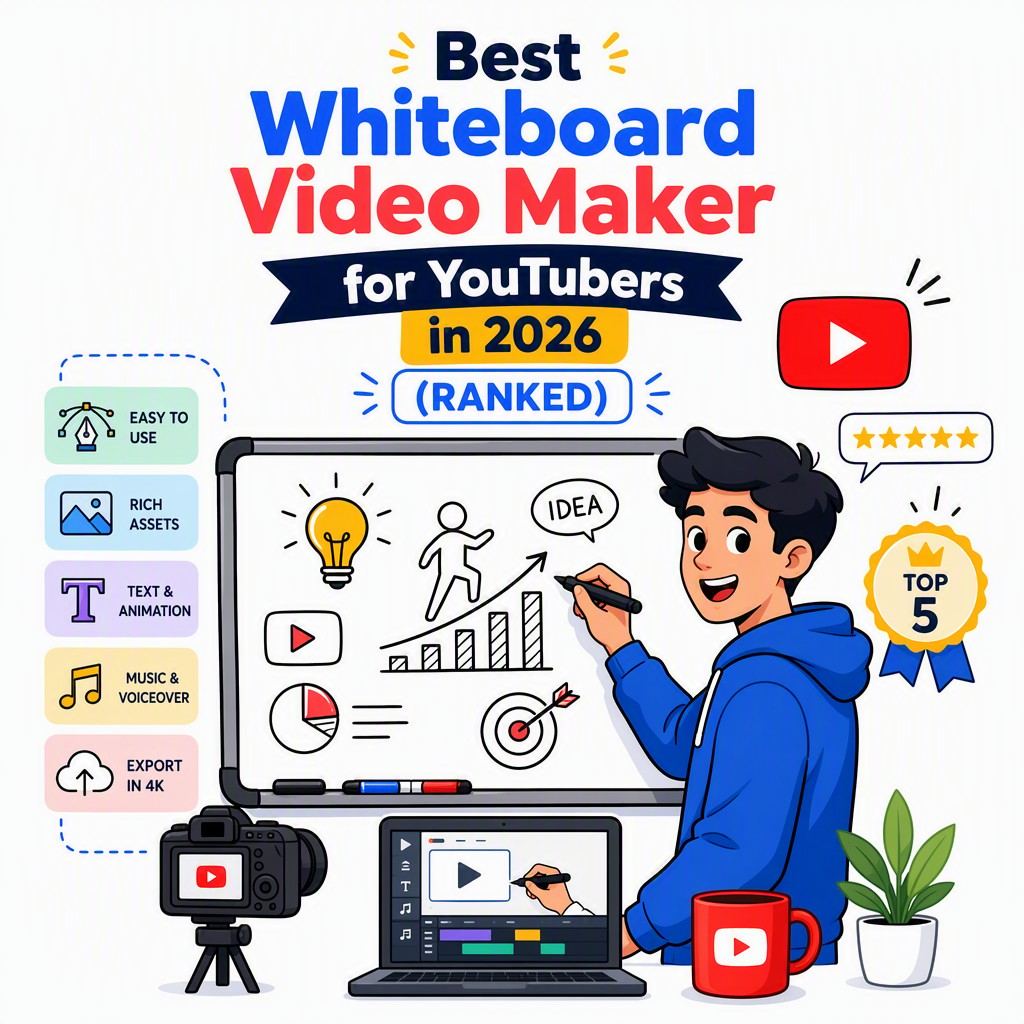
Real whiteboard videos made with Whiteboard Video — export in HD, landscape or vertical, ready for YouTube and Shorts.
A step-by-step drawing tutorial rendered as an AI doodle animation — generated from a single prompt.
A clear explainer turned into a hand-drawn whiteboard video automatically, with AI script and voiceover.
An engaging doodle-style explainer produced end-to-end by the AI — illustrations, narration and animation.